- 15 -
Using Menus
How to use “YPbPr Position” in YPbPr mode
When you enter “SET UP” menu, please operate according to the
following steps:
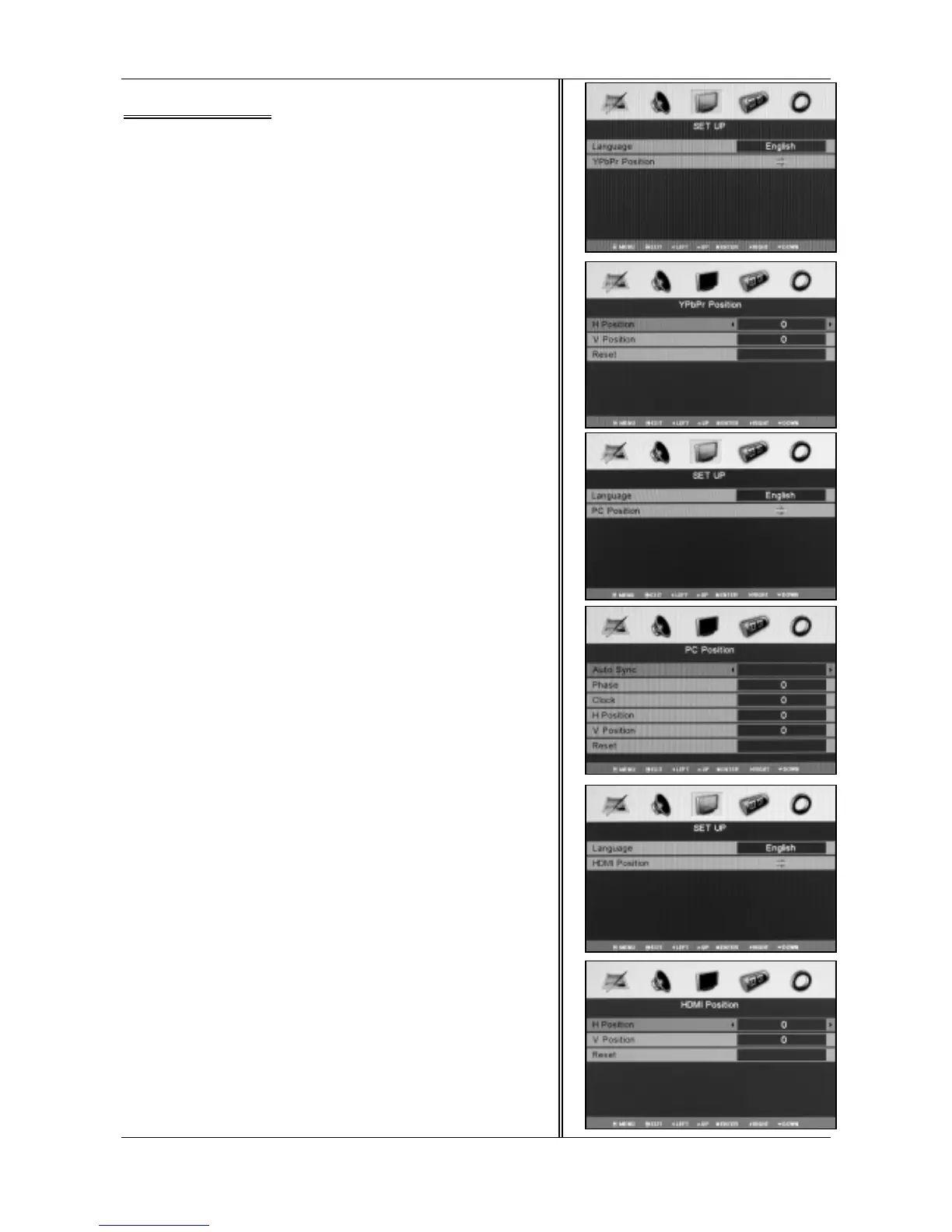
1.Press <▲ / ▼> to select “YPbPr Position”(fig.1).
2.Press <◄ / ►> to enter the sub menu (fig.2).
This option allows you to adjust the position in YPbPr mode.
H Position
Adjust the screen horizontal position.
V Position
Adjust the screen vertical position.
Reset
Replace H position, V position with the factory default values.
How to use “PC Position” in VGA mode
When you enter into “SET UP” menu, please operate according to
the following steps:
1.Press <▲ / ▼> to select “PC Position”(fig.3).
2.Press <◄ / ►> to enter the sub menu (fig.4).
This option allows you to adjust the position in VGA mode.
Auto sync
Adjust screen settings automatically for optimized picture position.
Phase
Remove any horizontal interference.
Clock
Remove any vertical interference.
H Position
Adjust the screen horizontal position.
V Position
Adjust the screen vertical position.
Reset
Replace Phase, Clock, V position and H position with the factory
default values.
How to use “HDMI Position” in HDMI mode
When you enter “SET UP” menu, please operate according to the
following steps:
1.Press <▲ / ▼> to select “HDMI Position”(fig.5).
2.Press <◄ / ►> to enter the sub menu (fig.6).
This option allows you to adjust the position in HDMI mode.
H Position
Adjust the screen horizontal position.
V Position
Adjust the screen vertical position.
Reset
Replace H position, V position with the factory default values.
1
2
3
4
5
6



 To Next Page