- 7 -
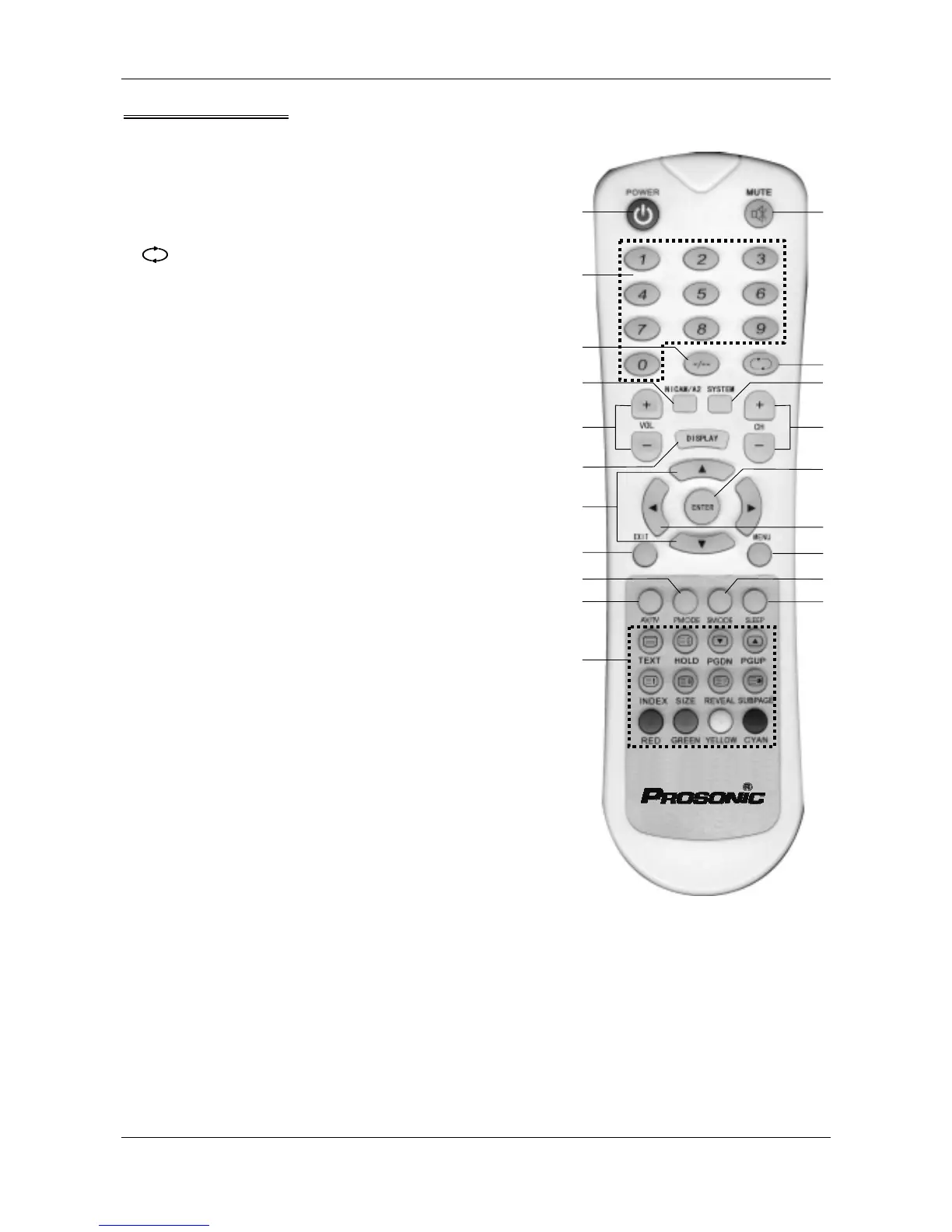
1
2
3
14
6
16
9
12
19
13
20
4
5
15
7
8
10
11
17
18
Remote Control
1.POWER Switch between “power on” and “standby”
2.0-9 Numeric keys
3.-/-- To select the channel which the channel
number is more than 9
4.MUTE Mute on/off
5. To return to the last program
6.VOL-/VOL+ Decrease /Increase the volume
7.CH+/CH- Increase / Decrease the channel number
8.ENTER To enter into menu or menu item
9. ▲ / ▼ To select menu item
10. ◄ / ► To adjust menu item
11.MENU Activate or exit Menu window
12.EXIT To exit the main menu
13.AV/TV To change signal source: TV, SCART-1, SCART-2,
AV, S-Video, YPbPr, VGA and HDMI
14.NICAM/A2 When the TV is broadcasting the program with
Nicam, press this key to select sound channel.
15.SYSTEM Switch among D/K,L, B/G, I (display at the top
of right corner)
16.DISPLAY Current program status (display at the top of
right corner)
17.SMODE Sound effect selection. User, Standard, Cinema,
Music, and News respectively.
18.SLEEP The TV turns to standby status at the setted
sleep time. Press this key repeatedly; you can
select the sleep time. “Off” indicates the sleep
function is off.
19.PMODE Picture effect selection. Select Dynamic,
Standard, Mild, User respectively.
20. TELETEXT keys, for detail, see “TELETEXT
Operation”.
DFT-2615



 To Next Page