- 17 -
Connection of External Equipment
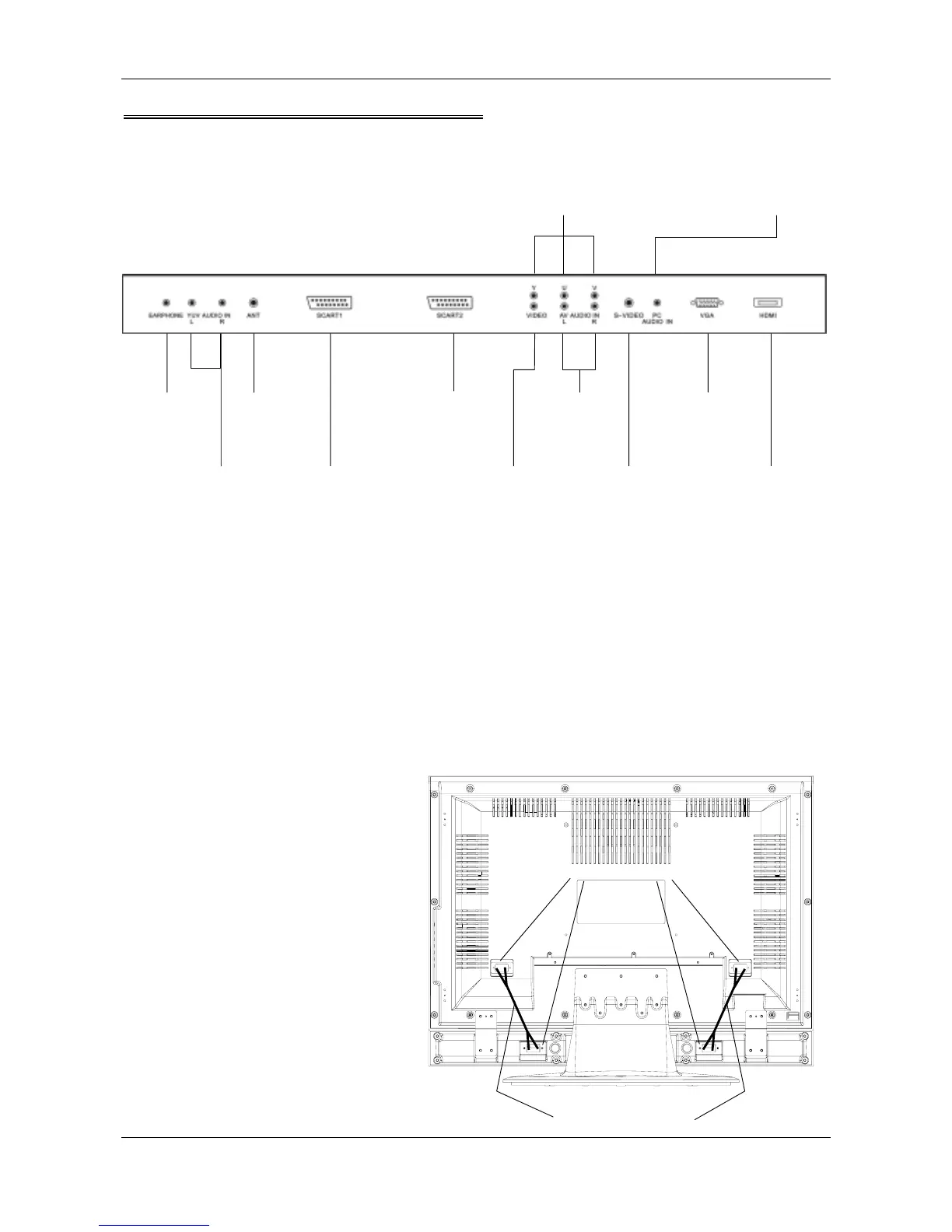
Socket Location
Note:
1. Same interface has same function, but different model has different interface position on the back cover.
2. Some TVs’ power sockets and power buttons are on the back cover.
3. Earphone’s volume is adjusted by <VOL+>/<VOL->.
4. SCART1 Input: (1) AV (2) RGB
AV output: TV Signal only
SCART2 Input: (1) AV (2) S-Video
AV output: TV Signal, AV Signal or S-Video Signal (determined by signal source)
To Connect Speaker
Connect speaker’s connecting clip to the
same colored speaker’s connecting clip on TV’s
back cover with the speaker connecting line
attached to the “Accessories”. See the picture.
Note: Different TV has different position of
speaker connecting clip, please see the
material object.
TV back cover terminals
HDMI
Connecting
equipment with
HDMI interface
VGA
Connecting
your PC
Y U V
Connecting your
DVD/VCR
YPbPr/YCbCr
output
S-VIDEO
Connecting your
DVD/VCR by
S-video cable
SCART1
Connecting your
DVD/VCR by
SCART cable
SCART2
Connecting your
DVD/VCR by
SCART cable
ANT
Connecting
outdoor
Antenna
AV AUDIO IN
Connecting your
DVD/VCR
audio output
VIDEO
Connecting your
DVD/VCR by
CVBS cable
PC AUDIO IN
Connecting your
PC audio out



 To Next Page