- 13 -
Using Menus
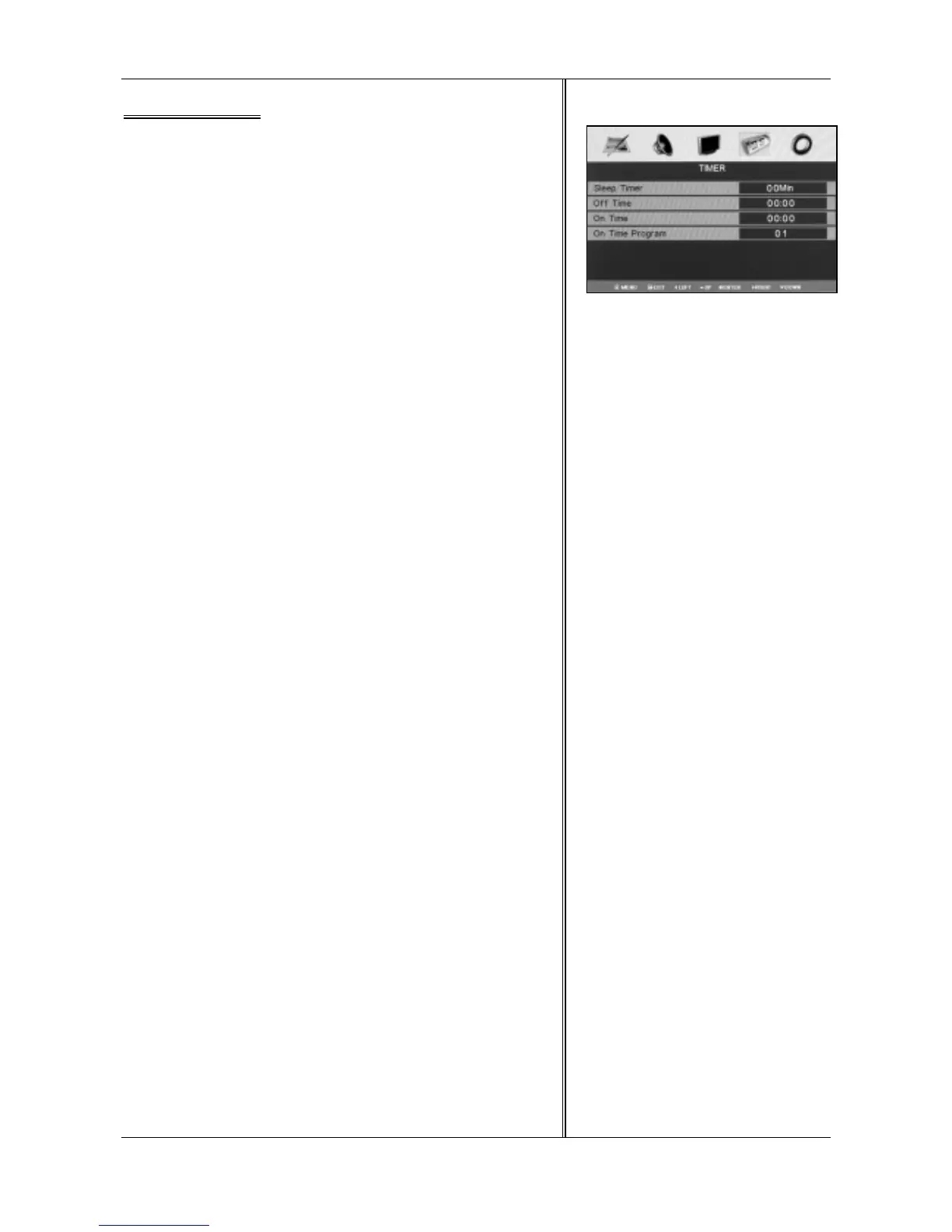
TIMER
There are four menu items in the “TIMER”: Sleep Timer, Off Timer,
On Timer and On Time Program.
How to enter “TIMER”
1.Press <MENU> to display the OSD main menu.
2.Press <◄ / ►> to select “TIMER”.
3.Press <ENTER>, when the menu item lights, it indicates you have
entered the menu.
How to use “TIMER”
When you enter “TIMER” menu, please operate according to the
following steps:
1.Press <▲ / ▼>, move the light bar to the item you want to adjust.
2.Press <◄ / ►> to adjust the item.
3.When you satisfied with your adjustment, press <MENU> to return
to the previous menu or press <EXIT> to exit the main menu.
Sleep Timer
Select the sleep time automatically to standby. Sleep time is set from
0 to 120 minutes
Tips: You may select the sleep time directly by pressing
<SLEEP>repeatedly on the remote control.
Off Timer
This LCD TV can be set to turn itself off after a certain time
On Timer
This LCD TV can be set to turn itself on after a certain time
On Time Program
This option allows you to set a channel number which you desire to
play when the TV is tuned on.
Note: This option is activated when On time option has been set.



 To Next Page