- 9 -
Using Menus
PICTURE
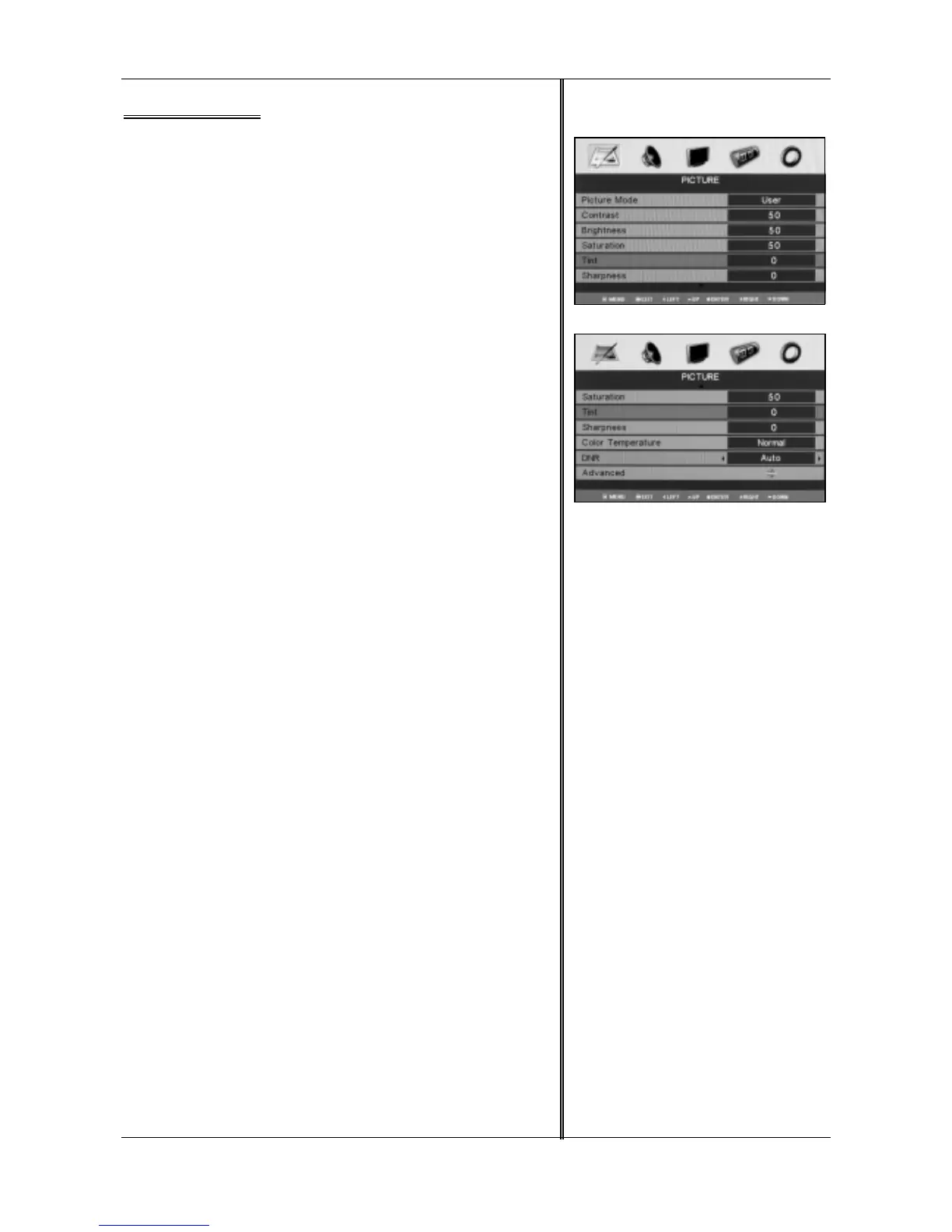
There are nine menu items in the “PICTURE”: Picture Mode,
Contrast, Brightness, Saturation, Tint, Sharpness, Color Temperature,
DNR and Advanced.
The user can get the picture effect you needed by adjusting the
above menu items.
How to enter “PICTURE”
1.Press <MENU> to display the OSD main menu.
2.Press <◄ / ►> to select “PICTURE”.
3.Press <ENTER>, when the menu item lights, it indicates you have
entered the menu.
How to use “PICTURE”
When you enter “PICTURE” menu, please operate according to the
following steps:
1.Press <▲ / ▼>, move the light bar to the item you want to adjust.
2.Press <◄ / ►> to adjust the item.
3.When you satisfied with your adjustment, press <MENU> to return
to the previous menu or press <EXIT> to exit the main menu.
Picture Mode
Select the type of picture which best corresponds to your viewing
requirements by selecting Picture Mode in PICTURE menu. The following
picture effects are available: Dynamic, Standard, Mild and User. You may
select the picture mode directly by pressing <PMODE> on the remote
control.
Contrast
Adjust the contrast of the picture.
Brightness
Adjust the brightness of the picture.
Saturation
Adjust the color saturation.
Tint
Adjust the tone of color when your system is in NTSC.
Sharpness
Adjust sharpness level of the picture.
Color Temperature
Select a optimum color temperature mode to suit your eyes for
viewing among Normal(balance), Warm(reddish), Cool(bluish).
DNR
If the broadcast signal received is weak, you can select the DNR
option to reduce the noise level between Auto, Low, Moderate,
High and Off.
Advanced
This option allows you to adjust the fresh by selecting the level
Flesh Tone, Green Tone Blue Tone or Film Mode.
Note: Tint control can be selected only if a NTSC signal is being
received.



 To Next Page