EasyManua.ls Logo

ProSound 800 - User Manual

ProSound 800
6 pages
Print Icon
To Next Page IconTo Next Page
Loading...
www.maplin.co.uk
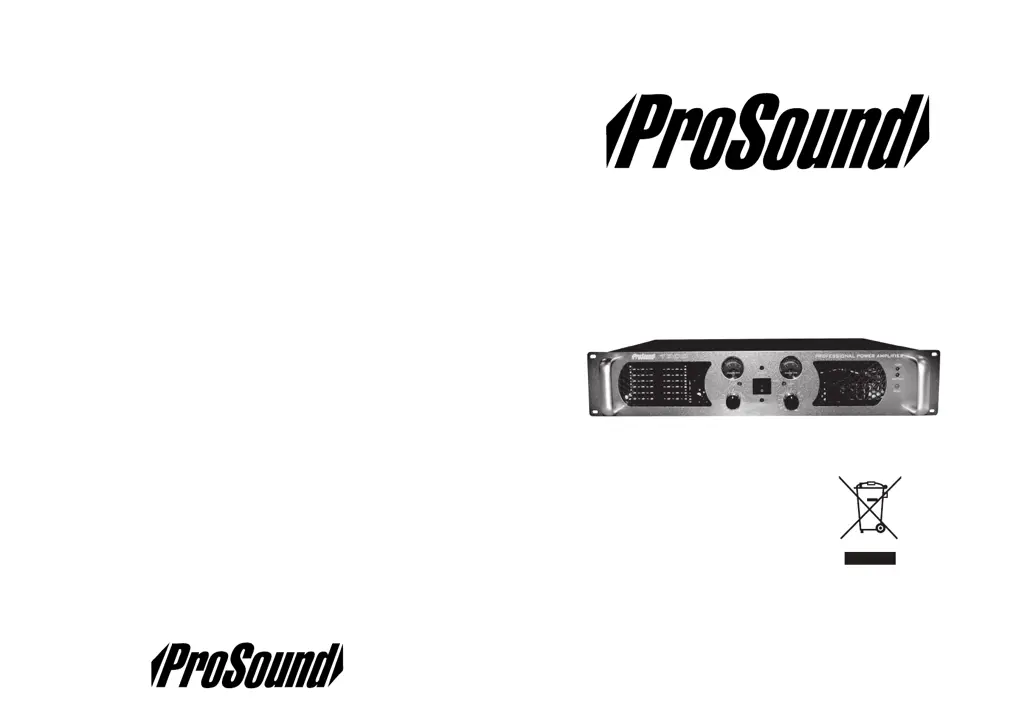
Prosound 800, 1000, 1600 Professional
Power Amplifier Manual
www.maplin.co.uk

Questions and Answers

  • J
    jonescurtisJul 27, 2025
    What to do if my ProSound 800 Amplifier has power but no sound?
    • K
      Kyle MaloneJul 28, 2025
      If your ProSound Amplifier's power LED is on but there's no sound, consider these possibilities: * The input signal might be missing or too weak. Ensure the input is properly connected, and the VU meters display an adequate signal. * The level controls could be set too low. Try increasing them. * The speakers might be faulty or not properly connected. Verify the integrity of your speakers and their connections.
  • J
    Johnny GrahamAug 1, 2025
    Why is my ProSound Amplifier humming or buzzing?
    • T
      Tracy BowenAug 1, 2025
      If you're hearing hum or buzz from your ProSound Amplifier, it could be due to: * Noise from the AC supply entering the signal path. Use high-quality, shielded signal cables, keeping them separate from AC power cables and other AC-powered devices. * An earth problem. Use a mains tester to confirm the AC outlet has a good earth. Where possible, power connected equipment, like the mixer and amp, from the same AC outlet.
  • T
    Theresa MeltonAug 5, 2025
    How to fix audible distortion in ProSound 800?
    • P
      patriciakennedyAug 5, 2025
      If you're experiencing audible distortion with your ProSound Amplifier, the cause might be: * Excessive signal level in the signal chain. Use the VU meters to ensure the input level to the amp is correct. Also, check levels at the mixer or source. * Damaged or poor-quality cables. Use only high-quality cables of the correct type, protect them from damage, and regularly inspect the connections.
  • M
    michael22Aug 9, 2025
    Why ProSound 800 Amplifier has no sound and the power LED is off?
    • S
      Sheila McintyreAug 9, 2025
      If your ProSound Amplifier has no sound and the power LED is off, the problem could be: * The AC supply isn't connected or switched on. Check all AC connections and switches. * A blown fuse. Inspect and replace the fuses at the plug and IEC socket, ensuring you use the same type and rating!
  • T
    Timothy BrownAug 13, 2025
    What to do if ProSound Amplifier sound cuts out?
    • T
      Thomas HallAug 13, 2025
      If the sound from your ProSound Amplifier cuts out or is intermittent, it may be due to damaged or poor-quality cables or connectors, connectors not properly inserted, or the amp overheating. Check all cables and connections and refer to the sections regarding distortion and the temperature warning light.
  • J
    Justin AndersonAug 17, 2025
    What does it mean when the Protect LED is on in my ProSound Amplifier?
    • B
      barbaramclaughlinAug 18, 2025
      If your ProSound Amplifier has no sound and the Protect LED is on, it indicates speaker outputs are short-circuited or a low impedance load is connected. Check all output connections and the total impedance of the speaker load. After resolving the issue, press the reset button.
  • C
    callahanlaurieAug 22, 2025
    Why is the Temp LED on my ProSound Amplifier on?
    • E
      Elizabeth McintoshAug 22, 2025
      If your ProSound Amplifier has no sound and the Temp LED is illuminated, the amplifier has overheated. Turn the levels to minimum and allow it to cool for 5 minutes. Ensure the front and rear vents are not blocked and that the input level isn't causing the clip lights to illuminate.

Summary

Unpacking and Inspection

Service Information

Product Compliance and Disposal

WEEE Directive for Electrical Equipment

Guidance on proper disposal of electrical and electronic equipment at end-of-life.

WEEE Directive for Battery Equipment

Guidance on proper disposal of battery-equipped electrical and electronic items.

Battery Collection Notice

Information for European users on separate collection points for batteries.

Technical Specifications

Amp Care and Usage

Recommended Usage Practices (DO)

Essential steps for optimal amplifier performance, longevity, and safe operation.

Practices to Avoid (DO NOT)

Actions to prevent damage, malfunction, or safety hazards with the amplifier.

Important Safety Instructions

Troubleshooting Guide

Product Introduction

Key Product Features

Installation and Placement

Wiring Conventions

Operating the Amplifier

Front Panel Controls and Indicators

Details of the amplifier's front panel features, including controls and status LEDs.

Rear Panel Connections and Switches

Description of input/output connectors, mode switch, and speaker outputs on the rear panel.

ProSound 800 Specifications

General IconGeneral
Number of Channels2
Signal to Noise Ratio>100dB
Amplifier TypePower Amplifier
Frequency Response20Hz - 20kHz
Input Impedance20k Ohms (balanced), 10k Ohms (unbalanced)
ProtectionThermal, short circuit, overload
InputsXLR, 1/4" TRS
OutputsBinding posts, Speakon
Power Requirements120V/240V, 50/60Hz
Dimensions483 x 88 x 366mm
Input ConnectorsXLR, 1/4" TRS
Output ConnectorsBinding posts, Speakon

Related product manuals