There are two intensity keys. WEAK means to
decrease the intensity, while STRONG means
to increase the intensity. There are ten levels
intensity for choosing. “STRENGTH” and level
numbers will be showed on the lower right
corner of LCD display.
Note: Increase the intensity gradually.
Quick Operation Guide
8th Step : Adjust the electronic
pulse speed.
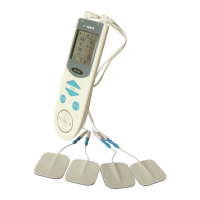
There are 2 speed buttons to control the pulse
frequency. “SPEED + “ means to increase the
speed and “SPEED –“ means to decrease the
speed. “VELOCITY” and level numbers will be
showed on the lower left corner of the LCD
display. Level should be from 1 to 10 as graded.
Speed adjustment


 To Next Page