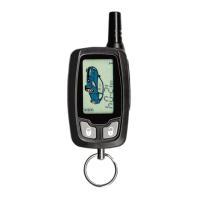
P.8 Guide de l’utilisateur
Affiche Description
SECUR
(6)
Verrouillage du clavier:
Cette fonction permet de verrouiller le clavier de la télécommande afin d’éviter
d’appuyer accidentellement sur une touche. Quand le clavier est verrouillé et qu’une
touche est appuyée, l’écran affichera « PRESF » pendant 1 seconde, puis retourne à
l’horloge.
Le clavier de la télécommande peut se verrouiller de cette façon :
a. Appuyer sur pour choisir MENU.
b. Dans les 3 secondes suivantes appuyer sur .
c. L’écran affiche « SECUR » pour confirmer le verrouillage du clavier.
x Appuyer sur environ 1 seconde pour déverrouiller le clavier.
COUL
(7)
Couleur d’éclairage
Un choix de 8 couleurs est offert pour l’éclairage de l’écran.
Dans les options avancées, appuyer sur pour choisir MENU, puis :
a. Sélectionner « COUL » et appuyer sur .
b. Sélectionner la couleur voulu en appuyant sur ou
ACL
(8)
Écran ACL :
Si aucune activité n’est enregistrée pendant l’intervalle de temps programmé, l’écran
ACL s’éteindra automatiquement. Les choix d’intervalle sont 1 min, 15 min, 30 min,
60 min ou toujours allumé. Cette fonction peut aider à prolonger la durée de vie de la
pile.
HORL
(9)
Horloge :
Le menu horloge permet de régler l’heure de la télécommande.
Dans les options avancées, appuyer sur pour choisir MENU, puis:
a. Sélectionner « HORL » et appuyer sur .
b. Régler l’heure voulue. D’abord l’heure, puis appuyer sur . Ensuite
les minutes, puis appuyer sur .
TEMP
(10)
Température.
Régler pour afficher la température en Celsius (CTEMP) or Fahrenheit (FTEMP).
LANGU
(11)
Langage
Régler pour afficher en anglais ou en français.
TLPRO
(12)
Fonction de la touche latérale programmable:
La touche latérale peut être programmée comme :
x Bouton d’alarme;
x Bouton d’arrêt;
x Bouton d’affichage de la température;
x Bouton Aux 2;
x ou MTF (Mode Temps froid).
KEYLOC
(13)
Verrouillage du clavier
Note : Pour que cette fonction marche, la fonction « Secur » doit être activée.
Si aucune activité n’est enregistrée pendant un intervalle de temps déterminé, le
clavier se verrouillera (soi après 5, 10 ou 20 secondes).
x Appuyer sur environ 1 seconde pour déverrouiller le clavier de la
télécommande.
ILLUM
(14)
Rétroéclairage ACL :
Quand cette fonction est activée, l’écran ACL s’allume chaque fois que le
verrouillage, déverrouillage et démarrage à distance est activé.
P.8 User Guide
SECUR
(6)
Secure:
This feature is used to lock the keypad of the transmitter to avoid accidental button
press. When the keypad is locked and a button is pressed, the LCD will display
“PRESF” for 1 second and goes back to the clock.
The transmitter keypad can also be locked as follows:
a. Press to select MENU.
b. Within 3 seconds, press .
c. The LCD will display “Security” to confirm locking of the keypad.
x Press for about 1sec, to unlock the transmitter’s keypad.
COLOR
(7)
Backlight color
The backlight can be set to 8 different colors.
Through Advanced Options, first press to select MENU, then:
a. Choose COLOR and press .
b. Choose the desired color by pressing or
LCD
(8)
LCD:
If there is no activity within the programmed time, LCD screen will automatically turn
off after 1 min, 15 min, 30 min, 60 min or always ON. This feature maximizes the
lifetime of the battery.
CLOCK
(9)
Clock:
The Clock menu is used to set the current time on your remote control.
Through Advanced Options, first press to select MENU, then:
a. Choose CLOCK and press .
b. Set the time at which you want to set the clock. First set the hour,
and press , then set the minutes and press .
TEMP
(10)
Temp
Can be set to read the temperature in Celsius (CTEMP) or Fahrenheit (FTEMP)
LANGU
(11)
Language
Can be set to either English or French
SBPRO
(12)
Side button function:
The side button can be programmed as:
x Panic button;
x Stop button;
x Temperature request button;
x Aux 2 output button;
x or CWM (Cold Weather Mode).
KEYLOC
(13)
Keypad lock
Note: In order for this feature to work, “Secure function” must be set to ON.
If there is no activity within the programmed time, the keypad will automatically lock
after 5 seconds, 10 seconds or 20 seconds.
x Press for about 1sec, to unlock the transmitter’s keypad.
ILLUM
(14)
LCD illumination:
When this function is enabled, the LCD will illuminate each time LOCK, Unlock or
START is activated.


 To Next Page