16
3.8 How to set timer start and timer stop
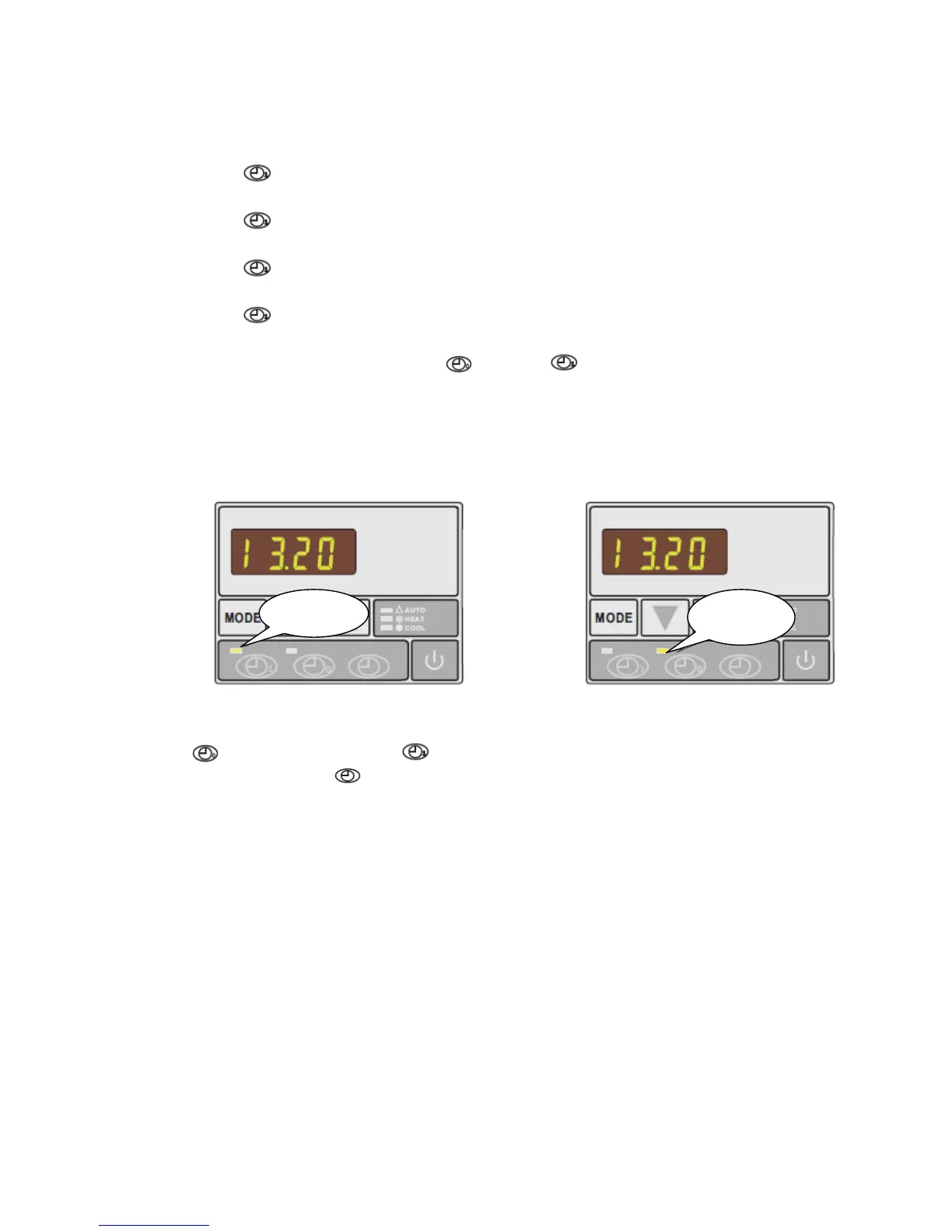
a) Press
to activate ‘timer start’ setting: hour and minute digits will be flashing
together.
b) Press
again to modify the hour setting: the hour digits will flash meaning they are
ready to be modified by pressing ▲ or ▼.
c) Press
again to modify the minute setting: the minute digits will flash meaning they
are ready to be modified by pressing ▲ or ▼.
d) Press
to confirm setting - display will return to standby status. ‘Timer start’ green
indicator light will light up to show the starting time has been set.
e) Repeat the same procedure using
instead of to set ‘timer stop’. ‘Timer stop’
red indicator light will light up to show the stopping time has been set.
Note: ‘timer start’ and ‘timer stop’ can be set together or separately (i.e. it is possible to set
‘timer start’ only and then stop the unit manually or set ‘timer stop’ only and start the unit
manually)
3.9 How to cancel ‘timer start’ and ‘timer stop
Press
to activate ‘timer start’ or to activate ‘timer stop’: the corresponding indicator
light will be flashing. Press
to cancel ‘timer start’ or ‘timer stop’.
3.10 Locking and unlocking the keypad
Except during parameter setting, press and hold ▲ or ▼ at the same time for 3 seconds: you
will hear a BEEP and the keypad will be locked. To unlock, press and hold both buttons
simultaneously again for 3 seconds.
Timer start
indicator
Timer stop
indicator


 To Next Page