Instructions for use
PROTEC GmbH & Co. KG, In den Dorfwiesen 14, 71720 Oberstenfeld, Germany
3
Control elements and device displays
3.1 Control elements and device displays PROGNOST E
Detailed information please find in the accompanying User Manual of the PROGNOST E.
3.2 Control elements and device displays PROGNOST SH
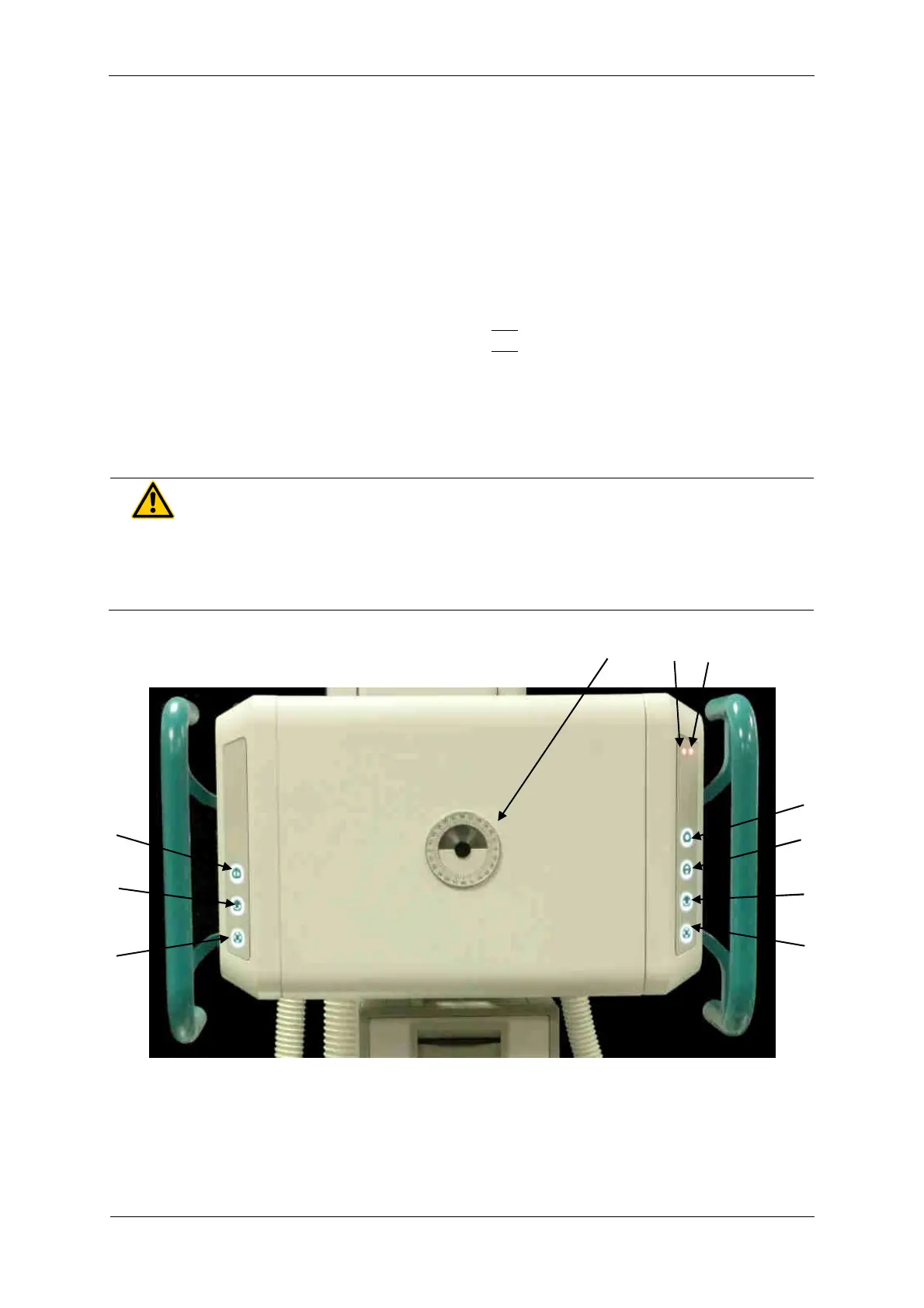
3.2.1 PROGNOST SH
1 Angle indicator for adjusting the X-ray assembly
2 Brake release for horizontal movement of the X-ray floor stand
3 Brake release for rotational movement of the X-ray unit around the horizontal support arm axis
4 Brake release for vertical movement of X-ray tube arm and horizontal movement of X-ray floor stand
5 Brake release for vertical movement of X-ray tube arm and horizontal movement of X-ray floor stand
6 Brake release for movement of X-ray tube assembly around the horizontal support arm axis
7 Brake release for vertical movement of X-ray tube arm
8 Option: Brake release for transversal movement of X-ray tube arm (+230mm)
9 Option: Status-LED orange (if LED is on: X-ray tube arm is not engaged)
10 Option: Status-LED red (if LED on: X-ray flor stand is not engaged)
WARNING!
If the red LED on the right membrane keypad lights up, the X-ray tube carrier
is not engaged! In this state no x-rays may be taken. The X-ray tube carrier
must first engage in one of the positions (0 / ± 90° / ± 180°)!


 To Next Page