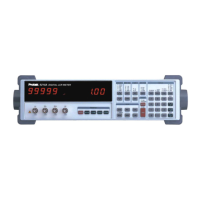
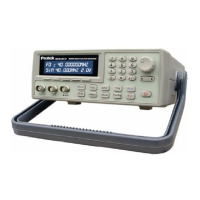
Verification of Meter Performance
The performance verification procedures in this section test and verify the performance of Model
Z9216 and compare it to the specifications listed in Volume 1 of the User’s Manual. The first set of
tests verifies the basic functionality of the unit. The second set of tests verifies the critical
specifications of the Model Z9216. The results of each section can be recorded on the test sheets
located at the end of this manual.
Functional Tests
These simple tests verify the basic functionality of the Model Z9216. They are not intended to verify
the accuracy of the unit.
Necessary Equipment:
Item Critical
Specifications
Recommended Model
Analog Oscilloscope with × 10, 10MHz probes
100MHz Bandwidth Tektronix 2445
24.9 Ω Resistor
0.1% Dale CMF55 or equivalent
402 Ω Resistor
0.1% Dale CMF55 or equivalent
6.34 kΩ Resistor
0.1% Dale CMF55 or equivalent
100.0 kΩ Resistor
0.1% Dale CMF55 or equivalent
22 nF Capacitor 1% NPO Murata Erie RPE series or equivalent
Front Panel Test
This test verifies the front panel display digits, LEDs, and keypad.
1. Turn on the unit while holding down the DISP key. A single segment in the third digit of the left
display should be on.
2. Press the down arrow key ↓ to light each segment (seven total) and the decimal for the third
and fourth digits of the left display, for a total of 16 segments. Only one segment or decimal
point should be on at a time. (Pressing the up arrow key ↑ will step backward through the
pattern.)
3. Press the down arrow key ↓ again (17th time) to light all the segments of all 12 digits. The
AUTO LED will also be on.
4. Press the down arrow key ↓ repeatedly to light the 25 LEDs in the display and the 26 LEDs on
the keypad. The LEDs turn on one at a time, from top to bottom and left to right, first for the
display, and then for the keypad. Only one LED should be on at a time.
5. After all of the LEDs have been tested, further pressing of the front panel keys will display the
key code associated with each key. Each key has a different key code, starting with 01 at the
upper left, and increasing from top to bottom then left to right.
6. The unit must be switched off to leave this mode.
1


 To Next Page