Table 2-12 - Amplitude Limits
Calbyte Nominal Voltage Limits
0-4
5-9
10-14
15-19
20-24
25-29
30-34
35-39
40-44
45-49
50-54
55-59
60-64
65-69
70-74
75-79
80-84
85-89
90-94
0.100
0.150
0.200
0.250
0.300
0.350
0.400
0.450
0.500
0.550
0.600
0.650
0.700
0.750
0.800
0.850
0.900
0.950
1.000
0.098-0.102
0.147-0.153
0.196-0.204
0.245-0.255
0.294-0.306
0.343-0.357
0.392-0.408
0.441-0.459
0.490-0.510
0.539-0.561
0.588-0.612
0.637-0.663
0.686-0.714
0.735-0.765
0.784-0.816
0.833-0.867
0.882-0.918
0.931-0.969
0.980-1.020
Frequency Calibration
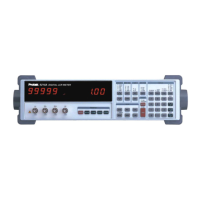
This procedure measures the accuracy of the Model Z9216 clock. The exact clock frequency is used
in calculating capacitance and inductance values. The clock correction factor is stored in parts per
million (ppm).
1. Set the Model Z9216 to its default conditions by pressing the keys RCL 0 ENTER. Set the
unit to constant voltage mode at 1 kHz, and remove any part from the fixture.
2. Install the BNC adapter to the fixture. Connect the IH lead to the frequency counter.
3. Determine the new calbyte by the formula, Calbyte = (frequency − 1000.000) × 1000.
4. To adjust the clock calbyte, press the CAL key until "Std CAL" appears on the display. Press
ENTER once to get into this menu structure, and then press CAL until the message "df”
appears on the left alphanumeric display and the current value on the right display. Enter the
new value, in ppm using the entry keys. To exit the standard cal menu, press CAL until the
"quit CAL" message appears, and then press ENTER.
2


 To Next Page