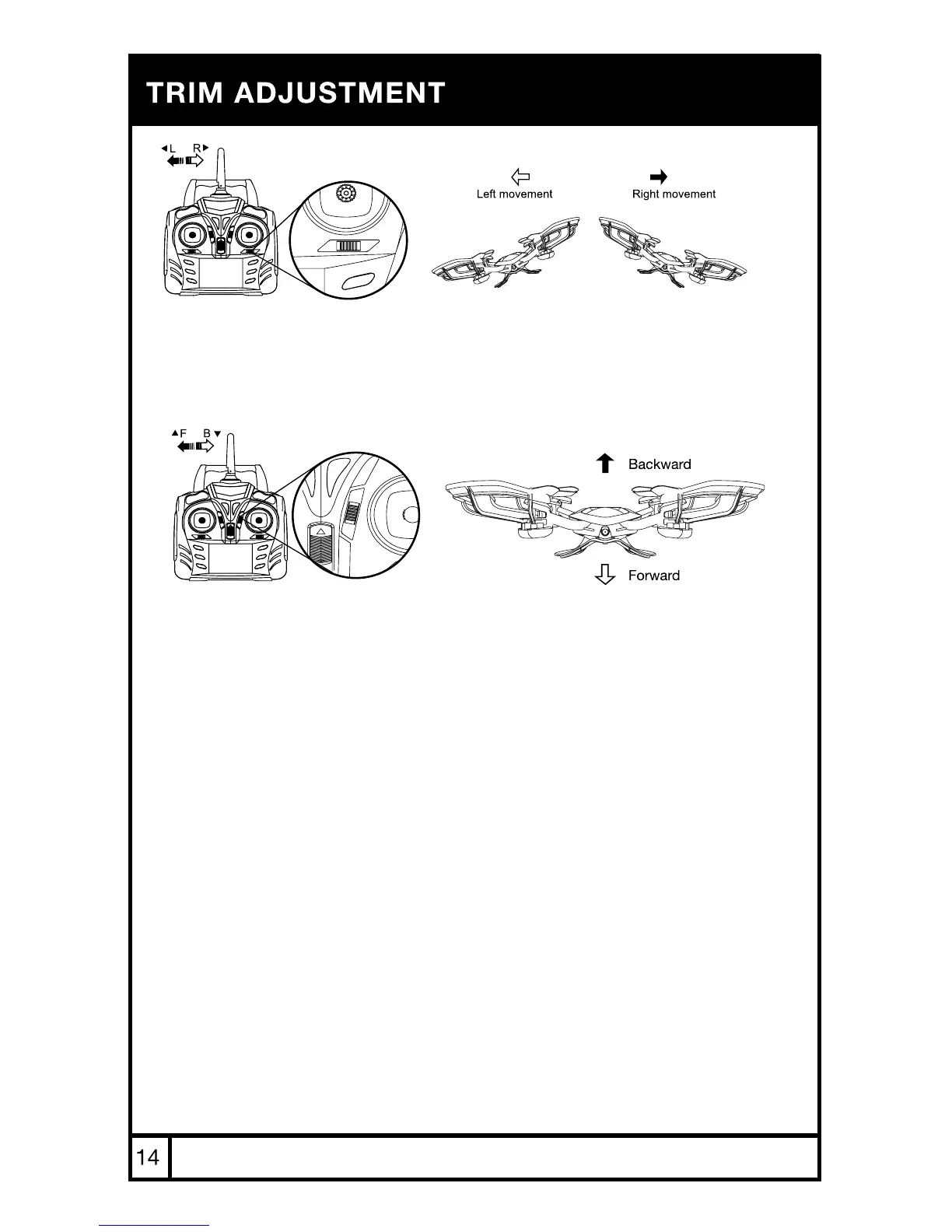
SIDEWAYS TRIM
When the drone drifts to the left or right side unintentionally, you can
correct it by pressing the trim button in the opposite direction until it
evens out.
FORWARD/BACKWARD TRIM
When the drone drifts forward/backward unintentionally, you can correct it
by pressing the trim button in the opposite direction until it evens out.
*NOTE: Trim adjustments are designed to counter drifts not caused by wind.



 To Next Page