EasyManua.ls Logo

Protocol DOT VR - User Manual

Protocol DOT VR
21 pages
Print Icon
To Next Page IconTo Next Page
Loading...
INSTRUCTION MANUAL
DOT VR
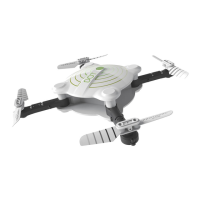
FOLDING DRONE WITH CAMERA

Questions and Answers

  • T
    Tracy DavisAug 3, 2025
    What to do if my Protocol Dot VR drone does not respond?
    • A
      Andrew WilsonAug 3, 2025
      If your Protocol Dot VR drone isn't responding, it could be due to a couple of reasons. First, the communication between the controller and the drone might not have been properly synchronized during setup. To fix this, turn on the drone first, place it on level ground, and then turn on the controller. Another possibility is that the battery power is low on either the drone or the controller. Make sure to charge the drone and/or replace the batteries in the controller.
  • D
    deborahhicksAug 13, 2025
    Why does my Protocol Dot VR drone not hover or strafe correctly?
    • P
      Patrick BlanchardAug 13, 2025
      If your Protocol Dot VR drone is having trouble hovering or strafing correctly, there are a couple of things to check. First, make sure that the drone was on level ground when you synchronized it with the controller. If it wasn't, re-synchronize the drone and controller. Also, incorrect trim settings can cause this issue. Try resetting the trim buttons on the controller and re-trimming the flight controls.
  • A
    Anna BentleyAug 23, 2025
    What to do if my Protocol DOT VR Drones control inputs are intermittent?
    • A
      Anthony JimenezAug 23, 2025
      If the response to your control inputs for the Protocol Drones is intermittent or erratic, it is likely that the controller battery power is nearly depleted. Replacing the batteries in the controller should resolve this issue.

Summary

Safety Warnings

Setup and Installation

Charging the Drone Battery

Operation: Start-Up and Flight

Start-Up Procedure and Engine Idle

Steps for powering on, synchronizing, and starting the drone's engines.

Take-Off, Landing, and Emergency Procedures

Guidance for launching, landing, and emergency shutdown of the drone.

Basic Flight Maneuvers

Instructions for controlling drone rotation, forward/backward movement, and banking.

Trim Adjustment and Troubleshooting

Re-Calibrating Altitude Sensor

Steps to recalibrate the drone's altitude sensor for improved stability.

Common Issues and Solutions

Addresses problems like non-response, erratic controls, and hovering issues.

Changing Drone Blades

Instructions for safely replacing the drone's propellers.

Wi-Fi & App Manual

Protocol DOT VR Specifications

General IconGeneral
BrandProtocol
ModelDOT VR
CategoryDrones
LanguageEnglish

Related product manuals