INSTALLING THE PHONE
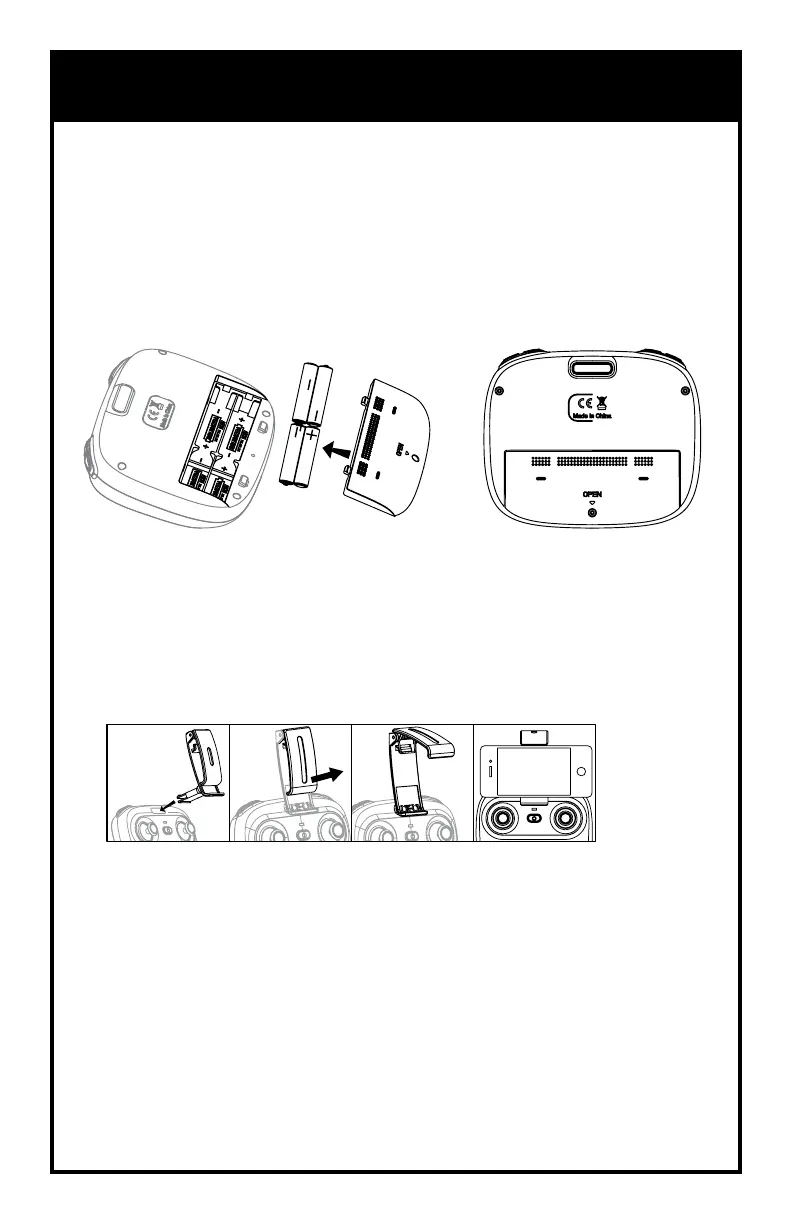
1. Insert the base of the mount into the slot until it clicks.
2. Pull the clamp open and insert the phone.
3. To remove, squeeze and push out.
REMOTE BATTERIES & PHONE INSTALLATION
1. Install batteries carefully.
2. Do not mix old and new batteries.
3. Do not mix different types of batteries.
Remove battery cover from controller. Insert 4 x ‘AA’ batteries according to
indicated polarities. Replace battery cover.
4
INSTALLING THE BATTERIES




 To Next Page