* If fitted
Wiper Washer
Control
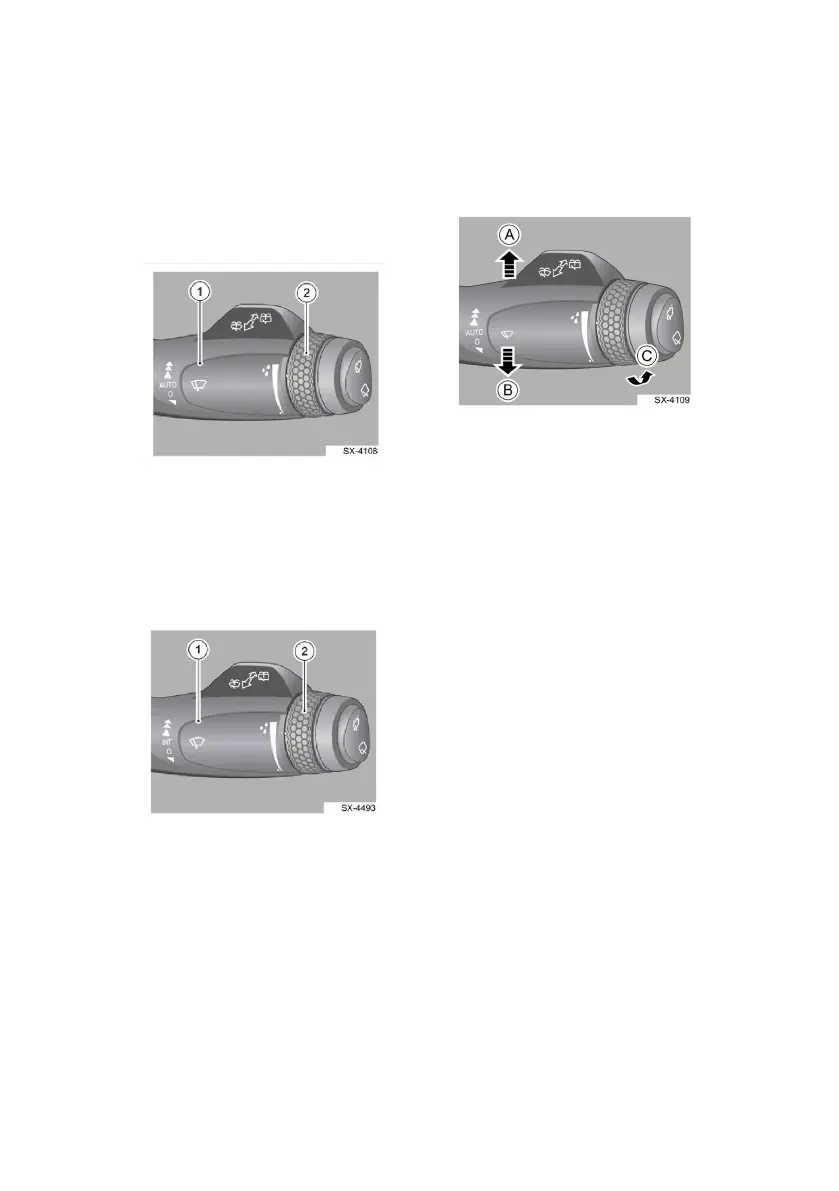
Type A: With AUTO mode
1. Wiper control handle
2. Wiper sensitivity
adjustment knob
Type B: Wit
hout AUTO mode
1. Wiper control handle
2. Wiper intermittent speed
adjustment knob
Front Wiping
Operation
MIST position
Move handle (1) in the direction
of B and then release handle
(1); Handle (1) will return to 0
position automatically and the
front wiper will perform one-
cycle wiping operation.
OFF position
The front wiper will stop when
handle (1) is at 0 position.
Intermittent (INT) Wiping *
When handle (1) is at INT
position, the front wiper will
wipe intermittently.
AUTO Position *
Move handle (1) in the direction
of A to AUTO position. The
front wiper will wipe
automatically.
NOTE
The sensitivity can be
adjusted by turning the
automatic wiper sensitivity
adjustment knob (2).
15



 To Next Page