* If
fitted
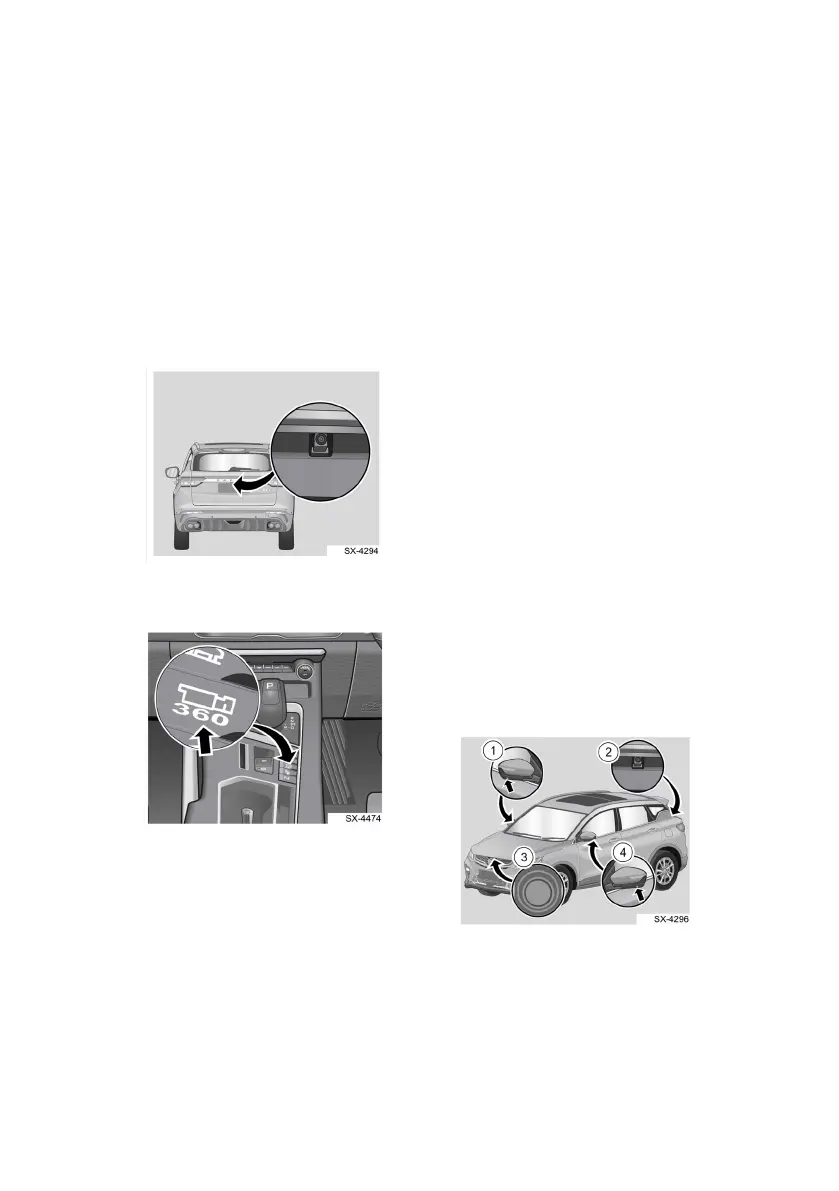
Reverse Camera *
Enter Interface
Move gear lever to Reverse (R)
Exit Interface
Disengage reverse gear (R)
Position of Reverse
Camera
360 Camera *
360 cam
era button
Enter Interface
• Click the 360 camera icon
on t
he multimedia display
• Activate “steering linkage”.
Turn steering wheel to the
right or left (vehicle speed <
30 km/h)
• Move gear lever to Reverse
(R) position.
• Click the 360 camer
a
but
ton on the centr
e
conso
le
Exit Interface
• Click Back button on the
multimedia display
• Deactivate the turn signal
light (if using it to enter
360
camera)
• Click the 360 camer
a
but
ton on the centr
e
conso
le again.
• Engage to gear drive (D)
and vehicle speed >
15km/h if entering using
gear reverse (R).
• Vehicle speed > 30km/h if
entering using 360 camera
button.
Position of 360 Camera
Module
1. Right camera
2. Rear camera
3. Front camera
4. Left camera
26



 To Next Page