7
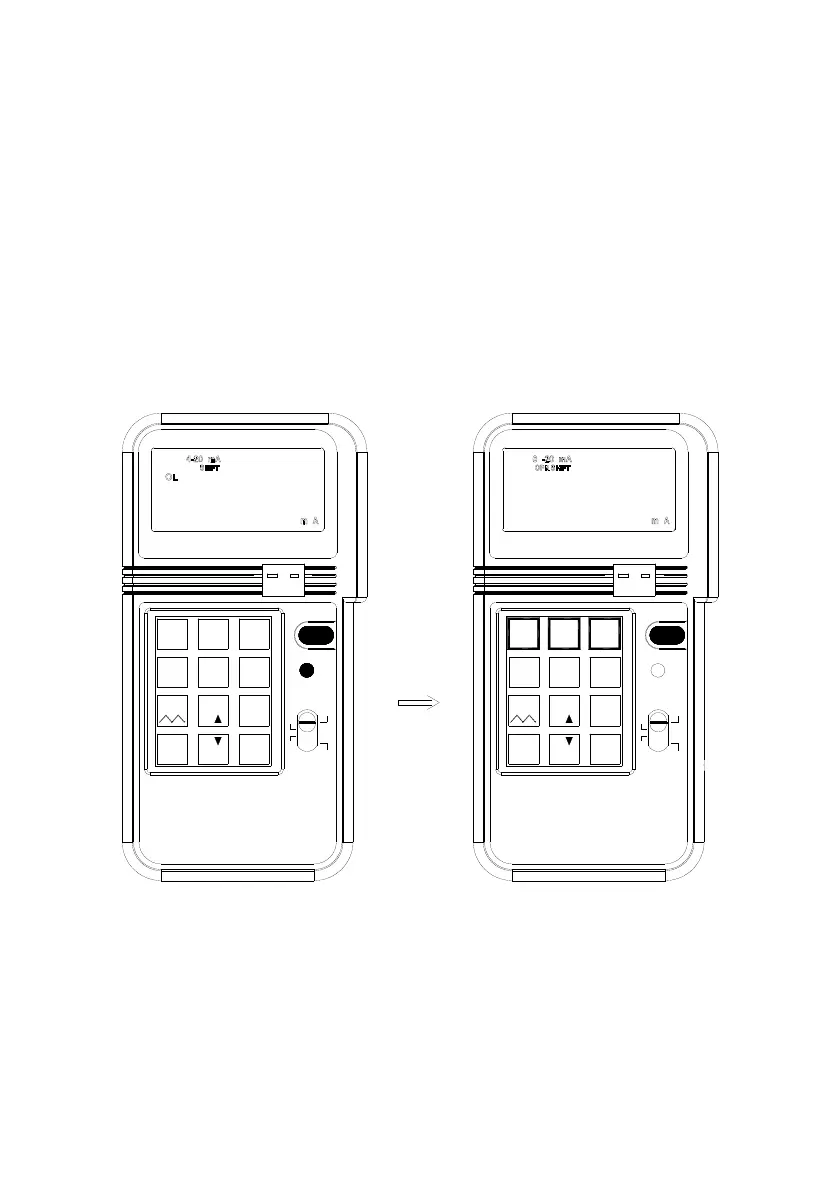
1b. Select 0 - 20mA or 0 - 24mA
The default setting for mA function is 4 - 20mA. But users can select 0 - 20mA or 0
-24 mA by pressing the SHIFT button to enter the SHIFT mode. Then press the
NUMBER 2 or NUMBER 3 button to select desired DC current range. After desired
range is selected, press the shift button to exit the SHIFT mode. Corresponding
current range symbol will be displayed in the LCD.
mV 1V
0-24mA
K J E T
CALIBRATOR
PROCESS
ENTER
%
%
.
_
0
%
21
4-20mA
7
mV 1V
12V
4
0-20mA
8
C F
5
°
Hz
F
°
C
°
3
SHIFT
9
mV
V
6
mA
ON/OFF
TC
-
+
%
CALIBRATOR
PROCESS
0
%
.
_%
ENTER
Hz
F
°
C
°
mV
ON/OFF
+
78
12V
4
5
° C F
9
V
6
K J E T
-
TC
SHIFT
mA
° °
3
0-24mA
2
0-20mA
1
4-20mA


 To Next Page