23
7. Auto Ramp in the mA, mV, and V functions
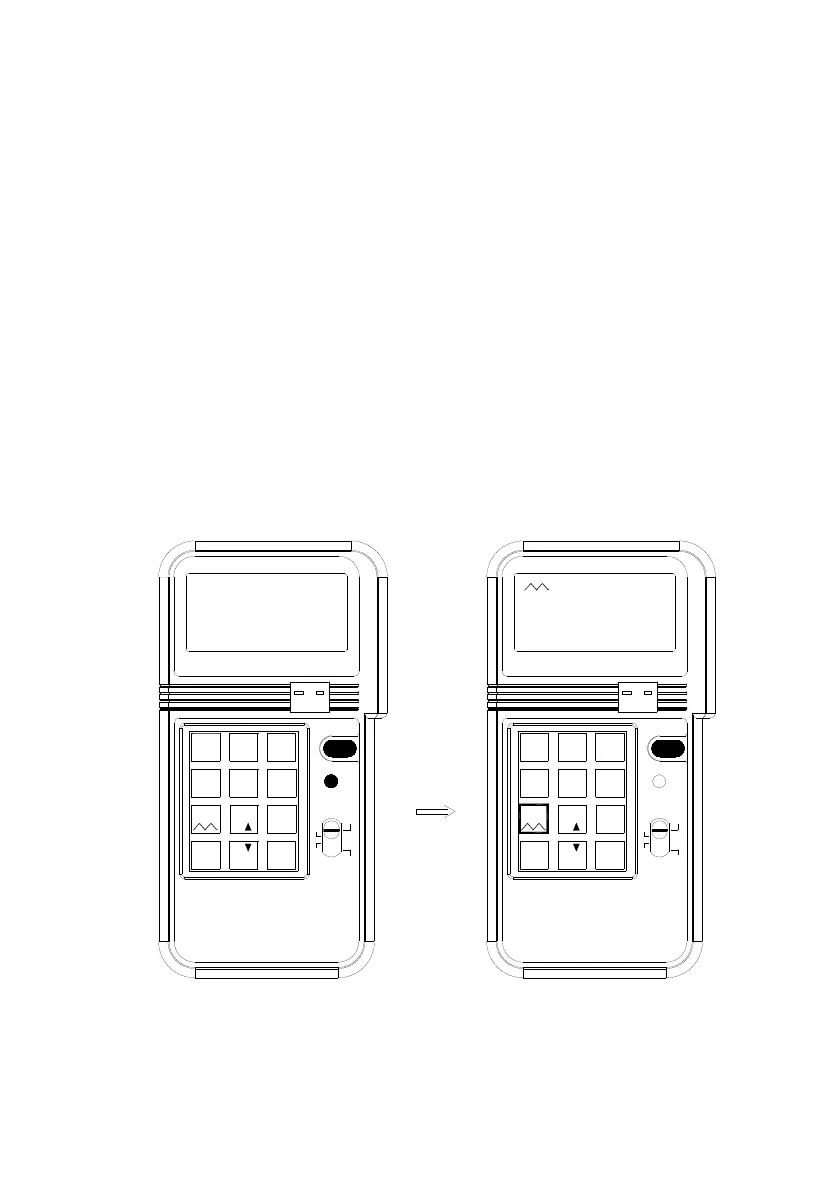
In the mA, mV, and V function, auto ramp function is available to the users. To
start the ramp function:
1. Press the SHIFT button to enter the SHIFT mode.
2. Press the NUMBER 7 key to start
3. Ramp function increment from 0% to 100%, then decrements from 100%
to 0% repeatedly. The resolution of each step is 1% (with respect the
range selected) at an interval of 0.08 seconds. So it takes 8 seconds to
ramp from 0 to 100%.
4. To temporarily stop the ramp function, press the NUMBER 7 key, and the
output will stay at the value when the NUMBER 7 key is pressed. These
features will facilitate the checking of trigger point of tested device, such as
valve controller.
5. To restart again, press the NUMBER 7 button again.
6. To return to the regular output mode, press the SHIFT button again when
ramp function is stopped.
4-20mA
mV 1V
ENTER
K J E T
0-24mA
PROCESS
CALIBRATOR
0
%
.
7
12V
mV 1V
4
_%
8
%
C F°
5
°
1
4-20mA
2
0-20mA
Hz
°
F
°
C
SHIFT
V
9
mV
6
mA
ON/OFF
3
TC
-
+
0
Hz
ENTER
CALIBRATOR
PROCESS
%
F
°
C
°
mV
+
ON/OFF
%_
.
8
%
° C F
12V
°
5
4
V
9
K J E T
6
21
0-20mA
3
0-24mA
TC
-
mA
SHIFT
7
SHIFT


 To Next Page