6
II. Operating Instruction
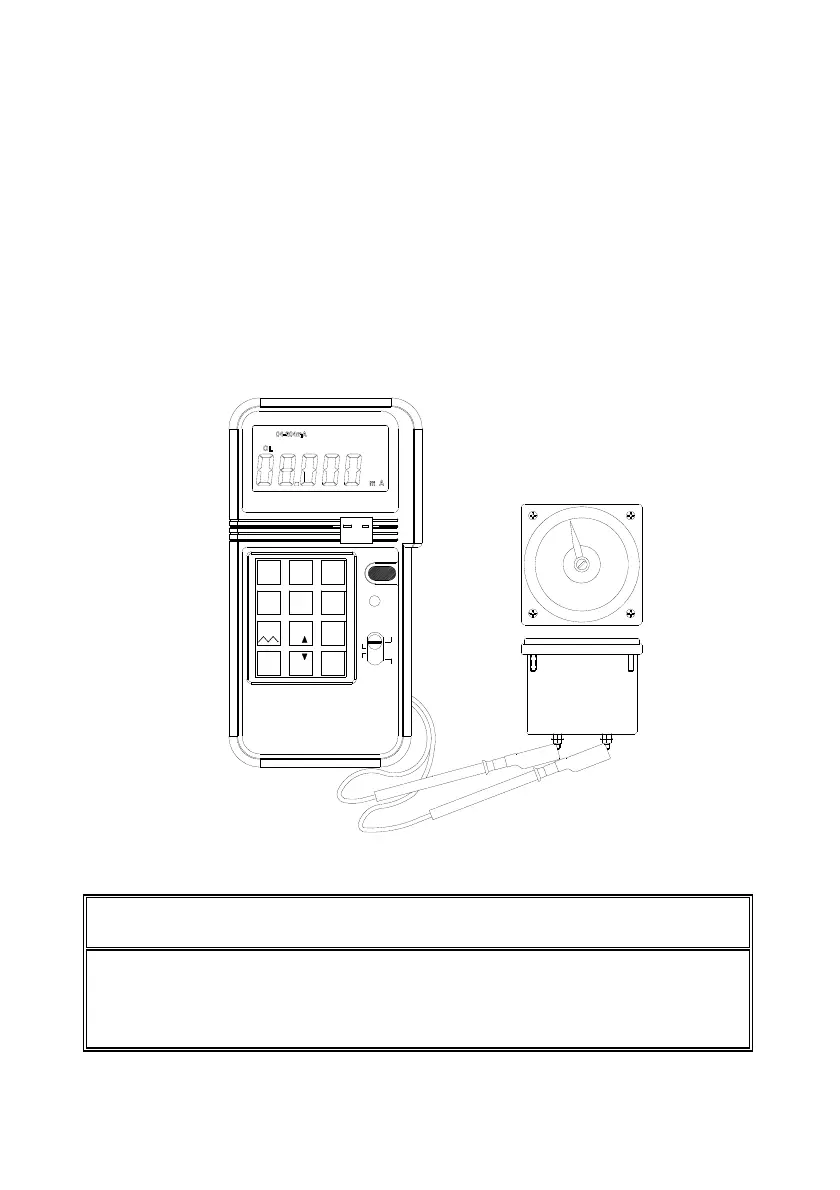
1. mA Output
1a. General Operation 4 - 20mA
1 Turn the power on, and wait until the STBY symbol disappears (about 1
min.)
2 Plug the test leads into the output connectors of calibrator accordingly
(Black to black, red to red). Attach alligator clip if necessary.
3 Move the sliding switch to mA position
4 Press the keypad (including the decimal point) to enter the value of mA
directly.
5 Using the test leads or alligator clips, touch or clip on the terminals to be
calibrated.
Note: Always waits until STBY (standby) symbol in the LCD disappears before
any operation.
Note: Maximum 5 digits can be entered. If users enter less than 5 digits (1 to 4
digits), users must press ENTER button to indicate the end of entry. If users
enter 5 or more digits, calibrator will automatically end the entry and output
specified value current.
312
CALIBRATOR
0-24mA
ENTER
PROCESS
%
_
.
%
%
0
4
12V
mV 1V
4-20mA
7
°
5
0-20mA
C F
8
Hz
°
C
°
F
SHIFT
6
V
mV
9
K J E T
mA
ON/OFF
+
-
TC
8.000mA
°


 To Next Page