34
VI. Battery Replacement
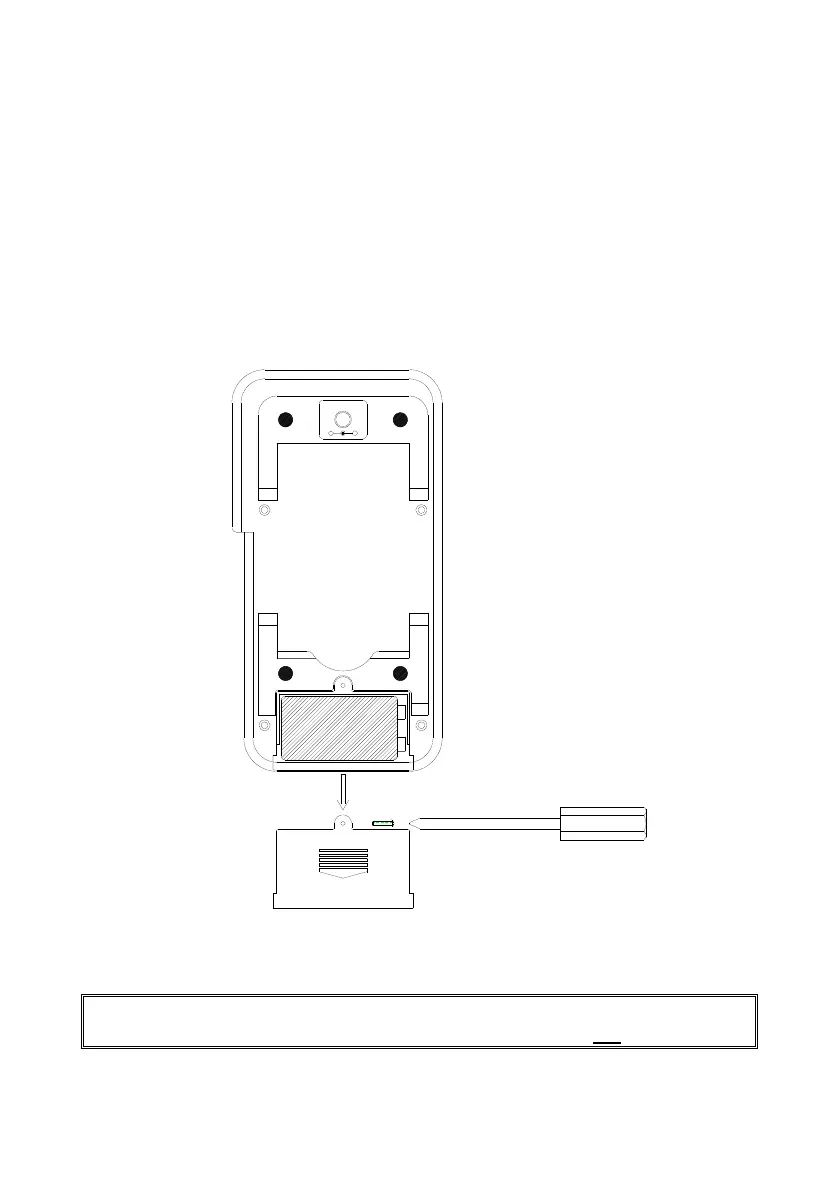
When the low battery symbol is displayed on LCD, follow the following procedures to
replace the battery.
1 Turn off the calibrator by pushing the On/Off button.
2 Remove the screw of the battery compartment cover and remove the battery
compartment cover.
3 Replace the old 9V battery with a new alkaline 9V battery.
4 Replace the battery compartment cover and fasten the screw.
Note: In the mA, mV, V, 0
°
C, and
°
F functions, status of low battery is
detected. While in the Hz function, status of low battery is not
detected.
+
-


 To Previous Page