-13-
If
it overheats, you absolutely must shut off the devi-
ce and allow it to cool down.
•Donot use the cutting disc for rough-machining. Risk
of fracture!
•Work only with acorrectly adjusted protective guard!
•When storing the bits and cutters, make sure they are
reliably protected from damage!
Replacing the Grinding Disc
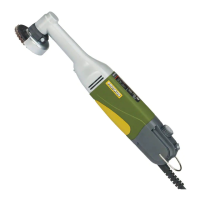
Your LHW long-neck angle grinder is ready for operati-
on on delivery.
Pre-assembled with afan sander with grain 100 and 50
mm diameter, ideal for grinding and smoothing mallea-
blecast iron, grey cast iron, stainless steel, steel, non-
ferrous metal, wood and plastic.
The supplied high-grade corundum sanding disc is ide-
al for roughing, grinding, sharpening and removing rust
from metal or non-ferrous metal, and the included
corundum-boundcutting disc is perfect for abrasive
cutting of steel, non-ferrous metal, plastic or wood.
We also have agreat number of additional problem sol-
vers in our comprehensive range of accessories.
1. Press the locking button 1(Fig. 2).
2. Turn the fastening screw 4using an Allen key 5un-
til the locking button engages.
3. Undo the fastening screw 4, remove the centring
disc 3and the grinding disc 2.
4. Fit anew grinding disc.
5. Press the locking button 1and tighten the fa-
stening screw 4.
Adjust the protective guard.
IMPORTANT!
Disconnect the plug from the mains before the follo-
wing.
1. Release fastening screw 1(Fig. 3) and turn the
protective guard to the desired position.
2. Retighten the fastening screw.
Using the unit
1. Switch the unit on via the switch 3(Fig. 1).
NOTE!
Do not press too hard when using the grinder.Good
grinding performance can only be achieved using the
correct and constant rotational speed.
To achieve the best results when roughening, apply
the grinding disc to the grinding surface at an angle
of between30° and 40° and move evenly back and
forthover the workpiece.
Do not bend the grinding disc into the cutting surfa-
ce during cutting work.
IMPORTANT!
Do not use the cutting disc for roughening work.
Risk of fracture!
IMPORTANT!
If the unit overheats, switch it off and allow it to cool.
Maintenance, cleaning and care
ATTENTION!
Disconnect the mains plug prior to everyadjust-
ment, maintenance measure or repair!
NOTE!
Everydevice is dirtied by dust when working. Cleaning
is therefore essential. To ensure along service life, ho-
wever,the machine should be cleaned with asoft cloth
or brush after each use.
Mild soap or othersuitable cleaning agent may be used
in this context.Solvents or cleaning agents containing
alcohol(e.g. petrol, cleaning alcohols, etc.) should be
avoided, since these can attack plastic casings.
Theapertures required for cooling the motor must al-
ways be kept free of dust anddirt.
Accessories
For more detailed information on accessories, please
request our device catalogue from the address speci-
fied on the last page in the warranty information.


 To Next Page
 Loading...