2. FM Channel
1) How to Search the FM Channel Automatically?
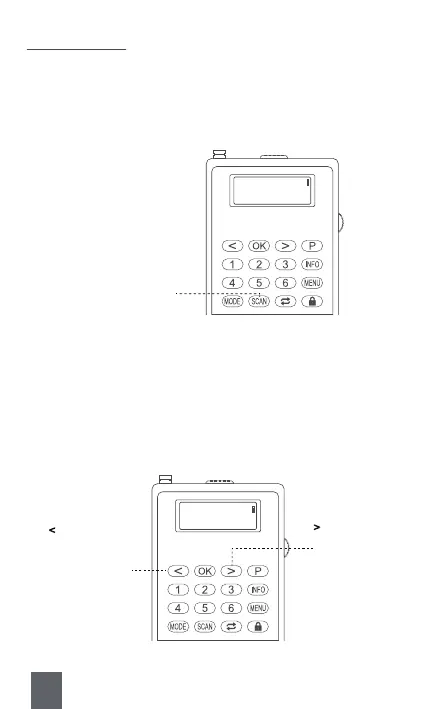
A. Search with Button SCAN
Long press <⑯SCAN> to automatically search, store and number the
channels. And the channels will be saved in an order as “P1”, “P2”, “P3”
…
B. Search with Button < or >
Long press <⑧Previous/Rewind> or <⑩Next/Fast-forward> to search
for the previous or next available channel. When an available channel
is detected, the radio will stop searching and play the current channel
automatically.
FM
Scanning…
⑯SCAN : Long press to
search automatically
FM
Scanning…
⑧ < : Long press to
search for previous
available channel
⑩ >
: Long press to
search for next
available channel
10



 To Next Page