7
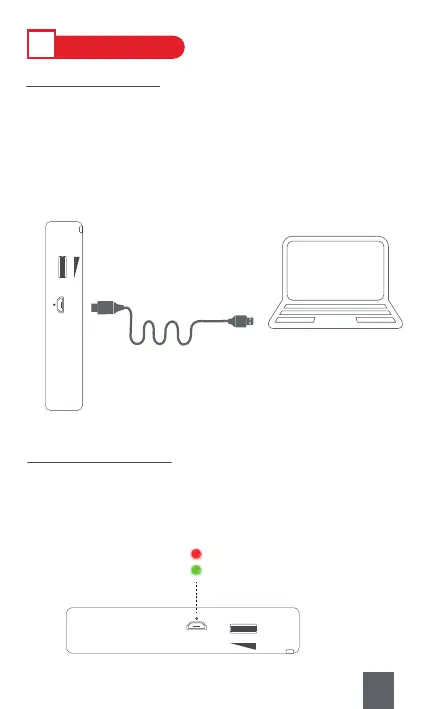
When the battery icon flashes on the screen, it’ s time to charge the
radio.
Step1 : Plug the big end of USB charging cable into the USB jack of
your computer or USB power adapter.
Step2 : Plug the small end into <⑥DC5V Charging Jack> on the radio.
Ⅲ
POWER SUPPLY
1. Charging Method
⑥DC5V Charging Jack
DC5V IN
DC5V IN
2. Charging Indicator
When charging, the <⑦Charging Indicator> will light on with RED light.
The charging time is 3-4 hours. And the indicator will turn from RED to
GREEN once the radio is fully charged.
Full
Charging



 To Next Page