14
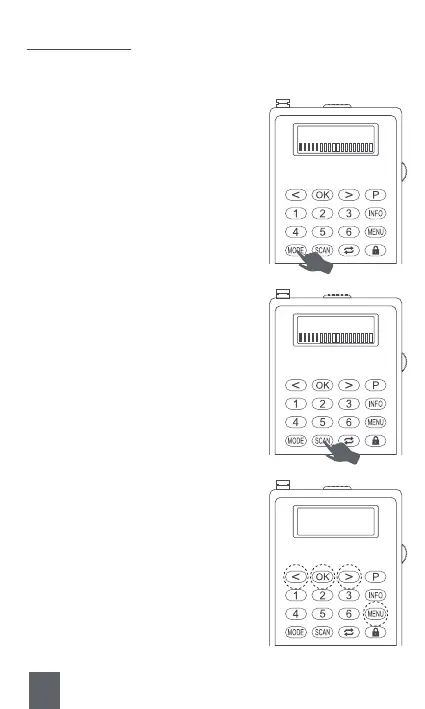
1) How to Search the DAB Channel Automatically?
Press <⑰MODE> to change to “DAB” mode.
Way2:
Long press <⑯SCAN> to automatically
search the DAB channels.
Way1:
When the radio is switched to DAB
mode, the radio will search the DAB
channels automatically.
Way3:
Step 1 : Press <⑬MENU>.
Step2 : Press <⑧Previous/Rewind> or
<⑩Next/Fast-forward> to choose “Full
scan”.
Step3 : Press <⑨OK> to confirm. Then
the radio will automatically search the
DAB channels.
Scanning… 1
Scanning… 1
DAB
<Full scan >
3. DAB Channel



 To Next Page