Short press button “2”
13
4) How to Select and Play the Stored Channels?
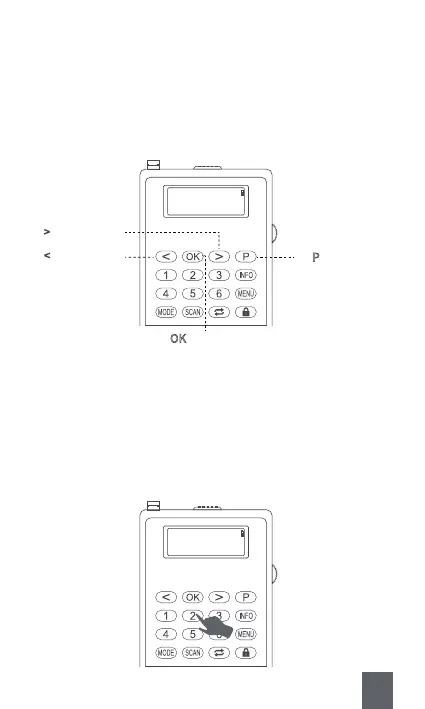
A. Press the Button “P”
Step1 : Press <⑪P>.
Step2 : Press <⑧Previous/Rewind> or <⑩Next/Fast-forward> to select
the stored channel you like.
Step3 : Press <⑨OK> to confirm and play the channel.
B. Input the Serial Number Directly
E.g. If the stored channel you want to listen to is “P2” , you just need to
input the number button “2” . Then the radio will automatically play
the stored channel “P2”.
Note : This method is only suitable for number 1-6.
Preset Recall
<4: 90.50MHz >
⑧ < : Short press
⑪ P
: Short press
⑩ >
: Short press
Step1.
Step3.
Step2.
⑨ OK
: Short press
90.50MHz P2
[No Radiotext]



 To Next Page