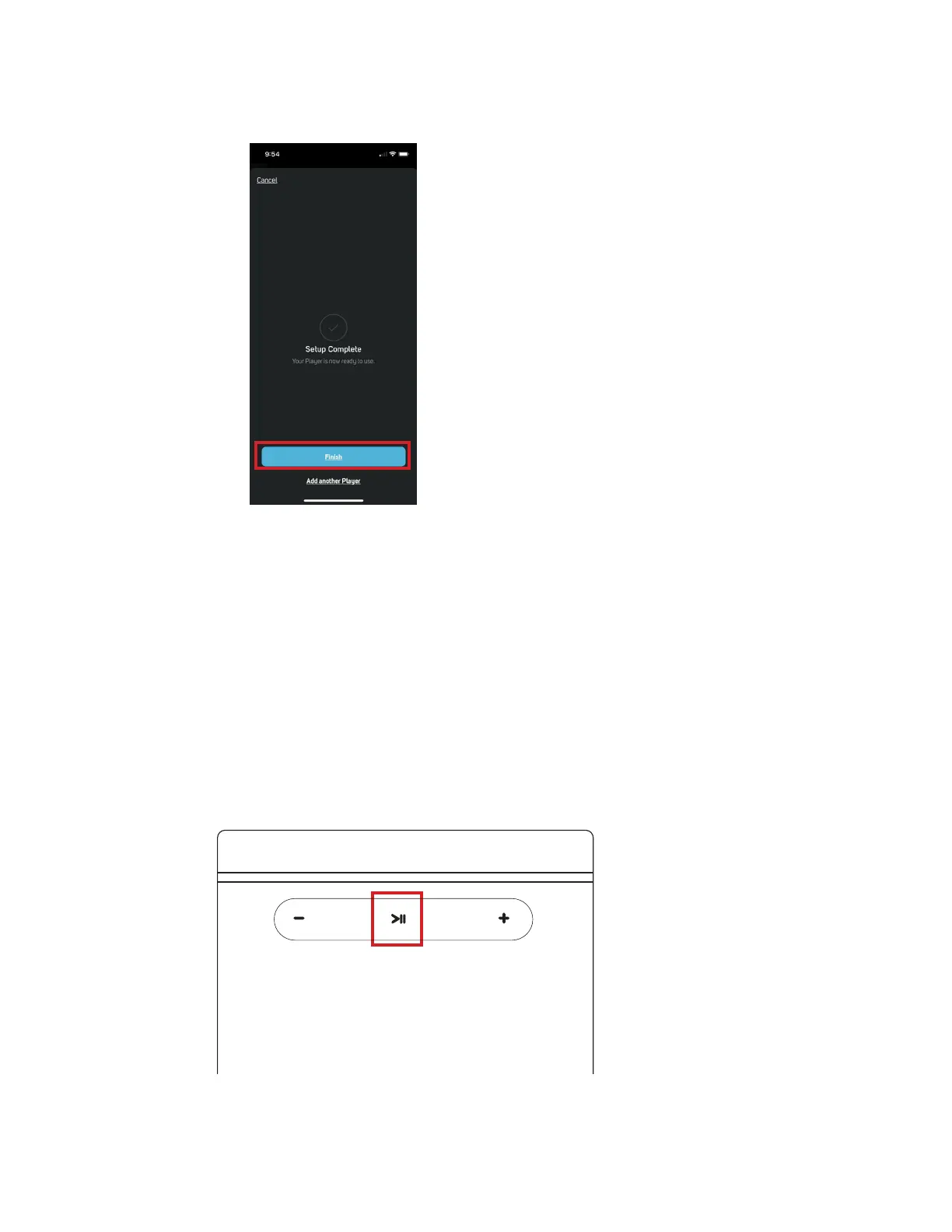
10. When Setup Complete is shown in the App, this indicates that your Alpha iQ is ready for use. Select Finish to complete and exit the
setup process.
Factory Reset
Your Alpha iQ can be factory reset or restored to factory default settings if your Alpha iQ is not functioning or internet firmware upgrade
has failed. All customizations including Wi-Fi network configuration, file shares and saved playlists will be lost. They have to be re-created
once factory reset is completed.
Steps to Factory Reset
Factory reset the Primary Speaker and Secondary Speaker separately.
Primary Speaker
1. Disconnect the Primary Speaker from mains power outlet. Remove the Ethernet cable from the Primary Speaker LAN port if applicable.
2. Wait for 30 seconds and then reconnect the power.
3. As soon as the Status Indicator LED turns Red, press and hold the >II (Play/Pause) button. The Status Indicator LED will immediately
turn Green and then back to Red - continue to hold >II (Play/Pause) button for 30 seconds.
4. After 30 seconds, the Status Indicator LED will begin to blink red – release hold of the >II (Play/Pause) button.
5. The Status Indicator will turn Green. This indicates that the factory reset of the Primary Speaker is completed and is now at Hotspot
mode ready to be configured.


 To Next Page