10
VS800
™ Scanner User's Guide
Power-Up Procedure
The system power-up procedure may vary depending on the re-
quirements of your Point-of-Sale (POS) system. Check with your
system supervisor and/or refer to the terminal operator's manual for
proper power-down and power-up procedures for your system.
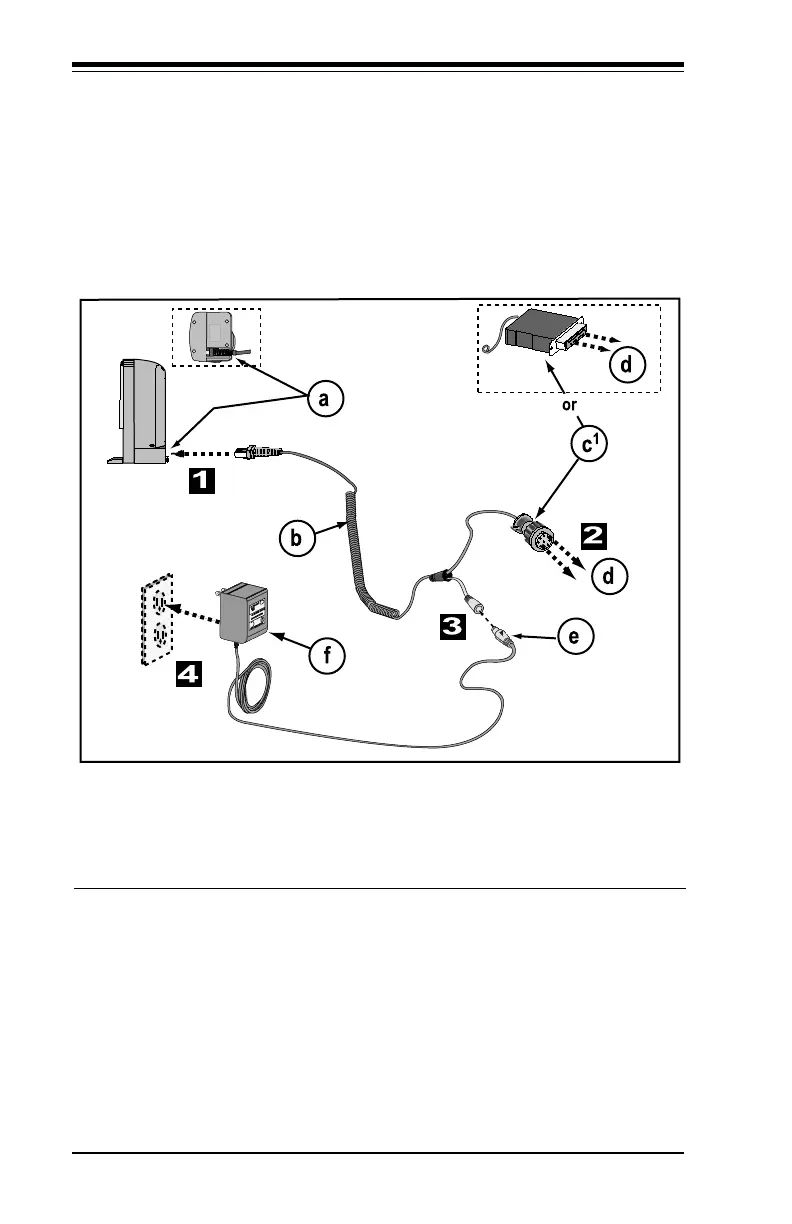
Figure 5. Connecting the Scanner to the Host Terminal
a. Interface Connector d. To Host Terminal
b. Interface Cable e. DC Power Connector
c. Host Terminal Connector
1
f. AC/DC Power Adapter
1
Your Host Terminal Connector may vary from the illustration.



 To Next Page