91Web & Email Setup
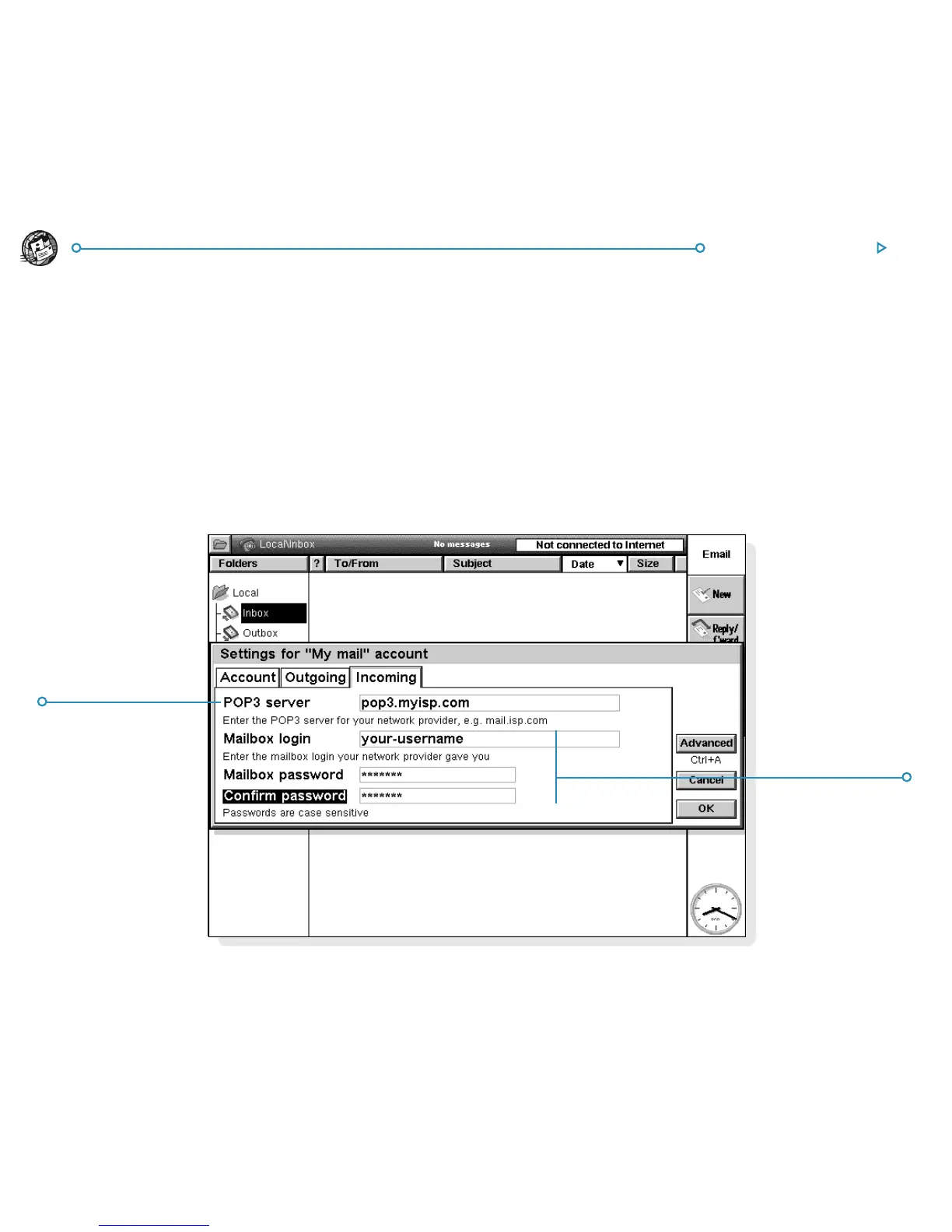
5. On the Incoming page:
• Enter your incoming mail (POP3 or IMAP4) server address,
e.g. ”pop3.myisp.com”.
• Enter your mailbox login (or username) and mailbox
password (these may be the same as your Internet username
and password ).
6. Tap OK when you’ve finished entering your email account
settings.
You are now ready to use your Web and Email applications.
Enter yourEnter your
Enter yourEnter your
Enter your
INCOMING mailINCOMING mail
INCOMING mailINCOMING mail
INCOMING mail
server addressserver address
server addressserver address
server address
(POP3 or IMAP4)(POP3 or IMAP4)
(POP3 or IMAP4)(POP3 or IMAP4)
(POP3 or IMAP4)
Enter yourEnter your
Enter yourEnter your
Enter your
mailbomailbo
mailbomailbo
mailbo
xx
xx
x
username andusername and
username andusername and
username and
passwordpassword
passwordpassword
password



 To Next Page