61Agenda
AGENDAGEND
AGENDAGEND
AGEND
AA
AA
A
You can use the Agenda program as a time manager, for
recording appointments, events, birthdays, anniversaries and lists
of things to do.
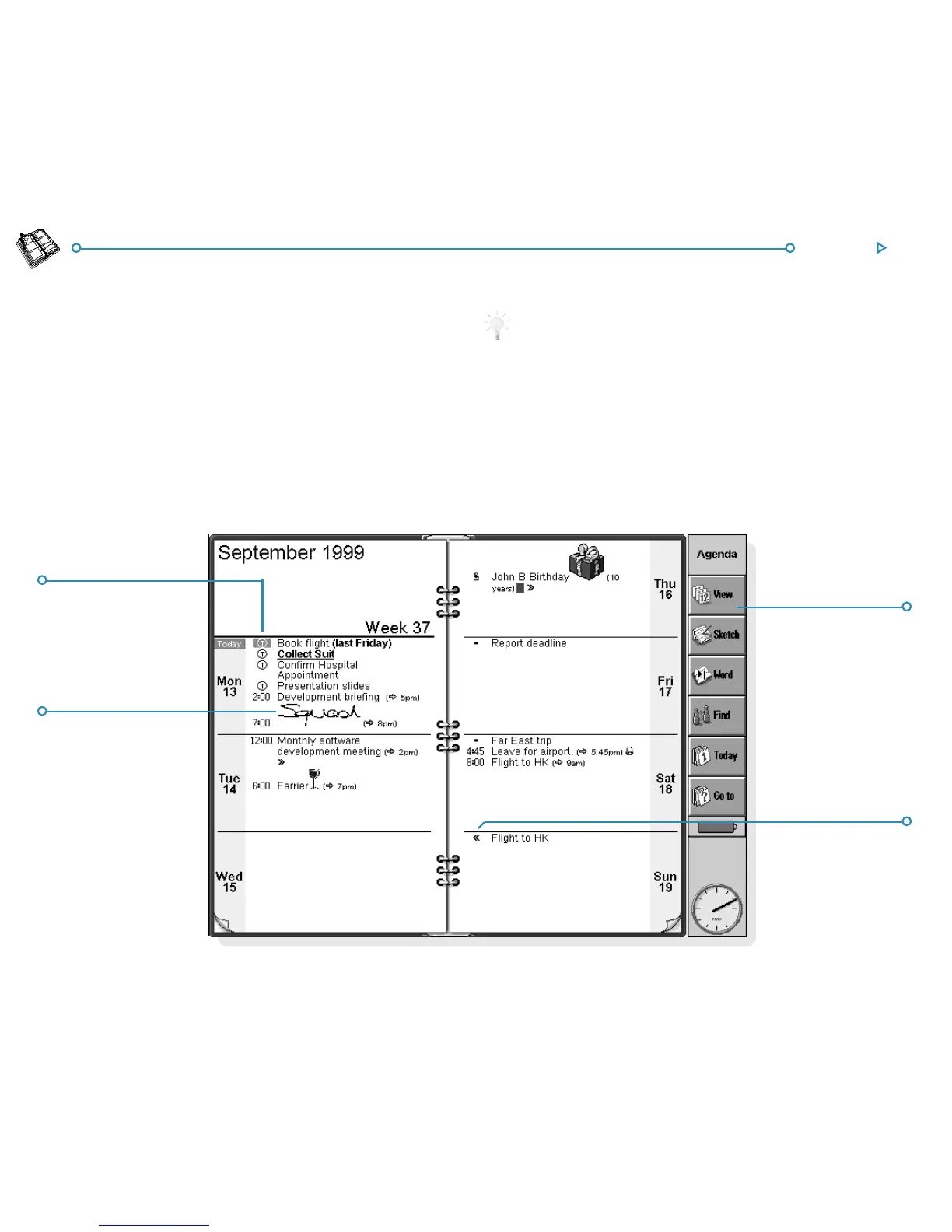
When you first open Agenda, you’ll see a planner for the current
week, or the “ Week view”. You can start adding your
appointments and other entries straight away by moving to the
appropriate day and typing them in.
What if I already use a PC scheduler?
If you already keep your schedule on your PC, you can use PsiWin
to synchronize your PC scheduler with a new Agenda file to
quickly bring all your PC entries across. You can then synchronize
regularly to keep the information up to date in both places. See the
PsiWin on-line help for more details.
HandwrittenHandwritten
HandwrittenHandwritten
Handwritten
entryentry
entryentry
entry
TT
TT
T
oo
oo
o
--
--
-
do entrydo entry
do entrydo entry
do entry
Entry crossingEntry crossing
Entry crossingEntry crossing
Entry crossing
midnightmidnight
midnightmidnight
midnight
Change viewChange view
Change viewChange view
Change view



 To Next Page