10
Adjusting the flash
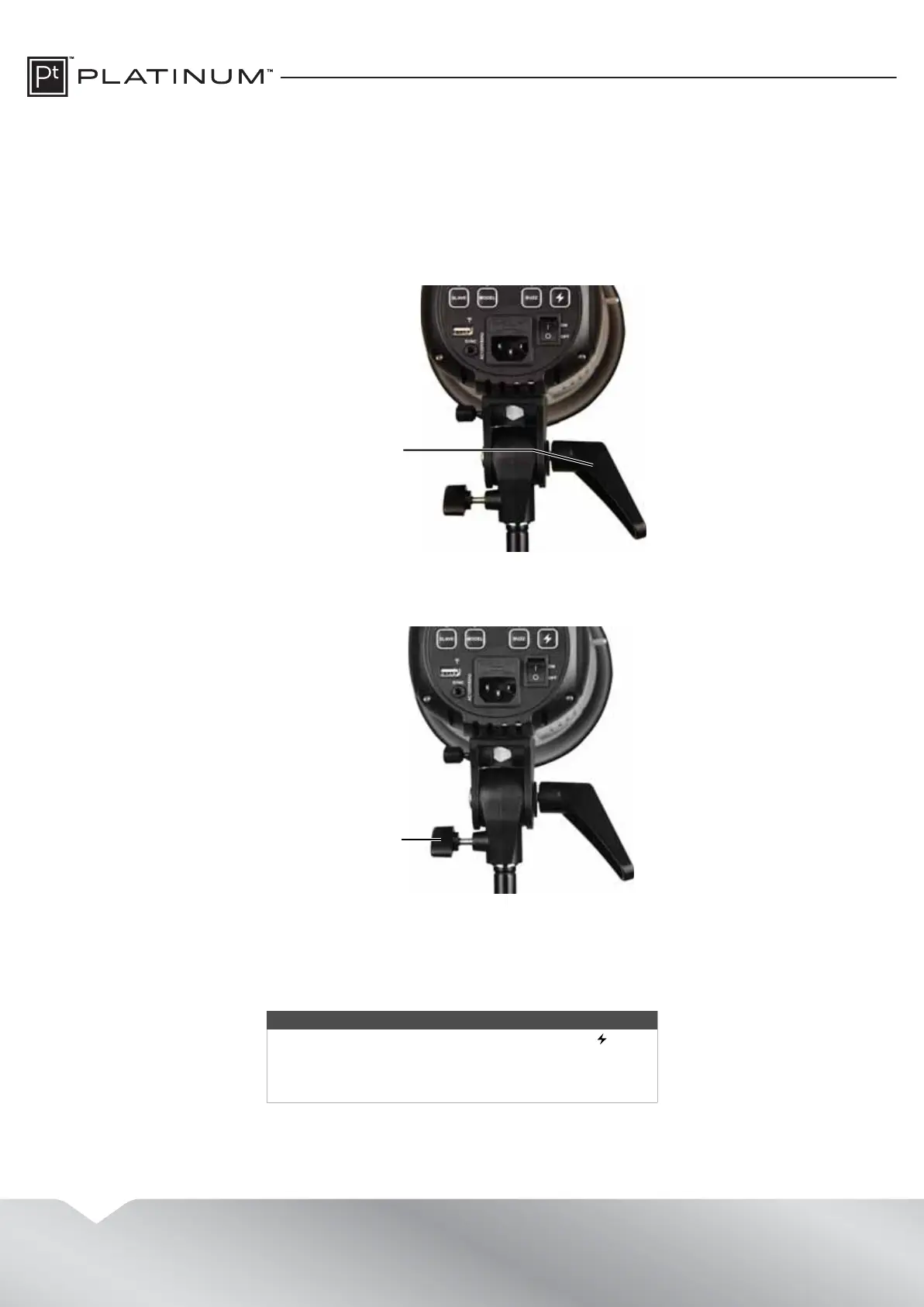
Adjusting the flash head position
You can adjust the vertical or horizontal position of the flash head.
To adjust the flash head position:
1 To change the vertical position of the flash head, move the flash head angle adjustment lever up or down.
Note: To set the lever to a better angle for making adjustments, pull the lever out, rotate the lever to the angle
you want, then push it back in.
2 To change the horizontal position of the flash head, loosen the mounting bracket knob, turn the flash head left
or right, then tighten the knob.
Adjusting the flash brightness
To adjust the flash brightness:
• Press the
S
or
T
button to increase or decrease the flash brightness. The brightness level appears on the display.
You can adjust the brightness level between 1.0 to 3.0.
Notes
• If you decrease the flash brightness, press the (test)
button to release the stored power. When the flash
recharges, the amount of stored power matches the
lower setting.
Flash head angle
adjustment lever
Mounting
bracket knob


 To Next Page