19
PRO STUDIO FLASH KIT
Maintenance
Replacing the modeling lamp
To replace the modeling lamp:
1 Turn off your flash and unplug the power cord.
2 If a lamp cover or reflector is attached to the flash head, slide the release pin, turn the cover or reflector
counter-clockwise about 10°, then pull off the cover or reflector.
3 Unscrew the old modeling lamp, then screw in the new lamp.
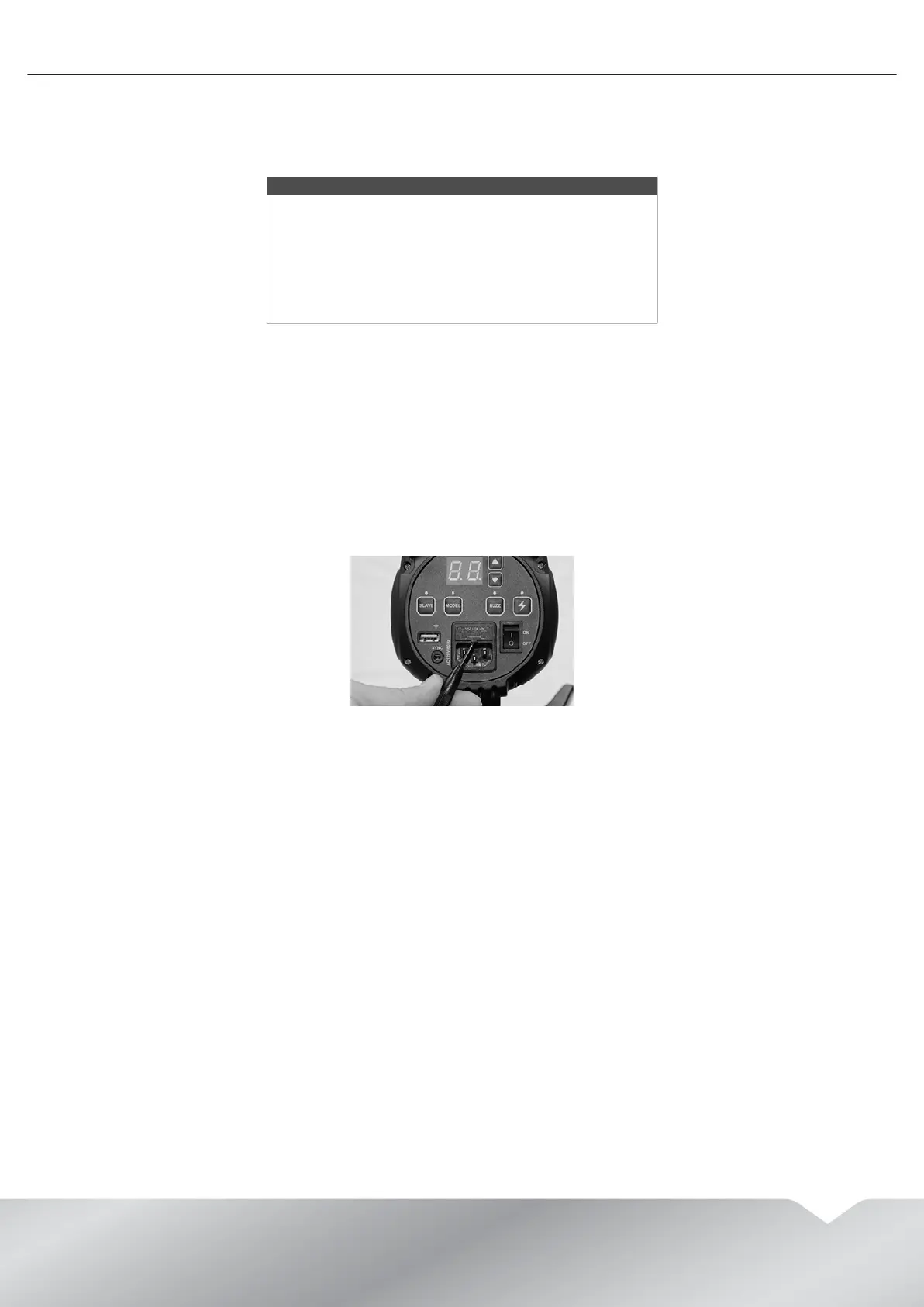
Replacing the fuse
To replace the fuse:
1 Unplug the power cord from the flash head.
2 Use a flat-blade screwdriver to pry the fuse cover away from the flash head, then pull out the plastic tray that
holds the fuse.
3 Replace the fuse, insert the fuse tray, then snap the fuse cover back in place.
Warnings
To avoid damage to the lamp and bodily injury, always:
• Wear insulated gloves to protect your hands and to
avoid getting oil from yous hands on the modeling
lamp.
• Turn off your flash and unplug the power cord.
• Do not use lamps with a higher power rating than the
original lamp or with a larger envelop size.


 To Next Page