17
PRO STUDIO FLASH KIT
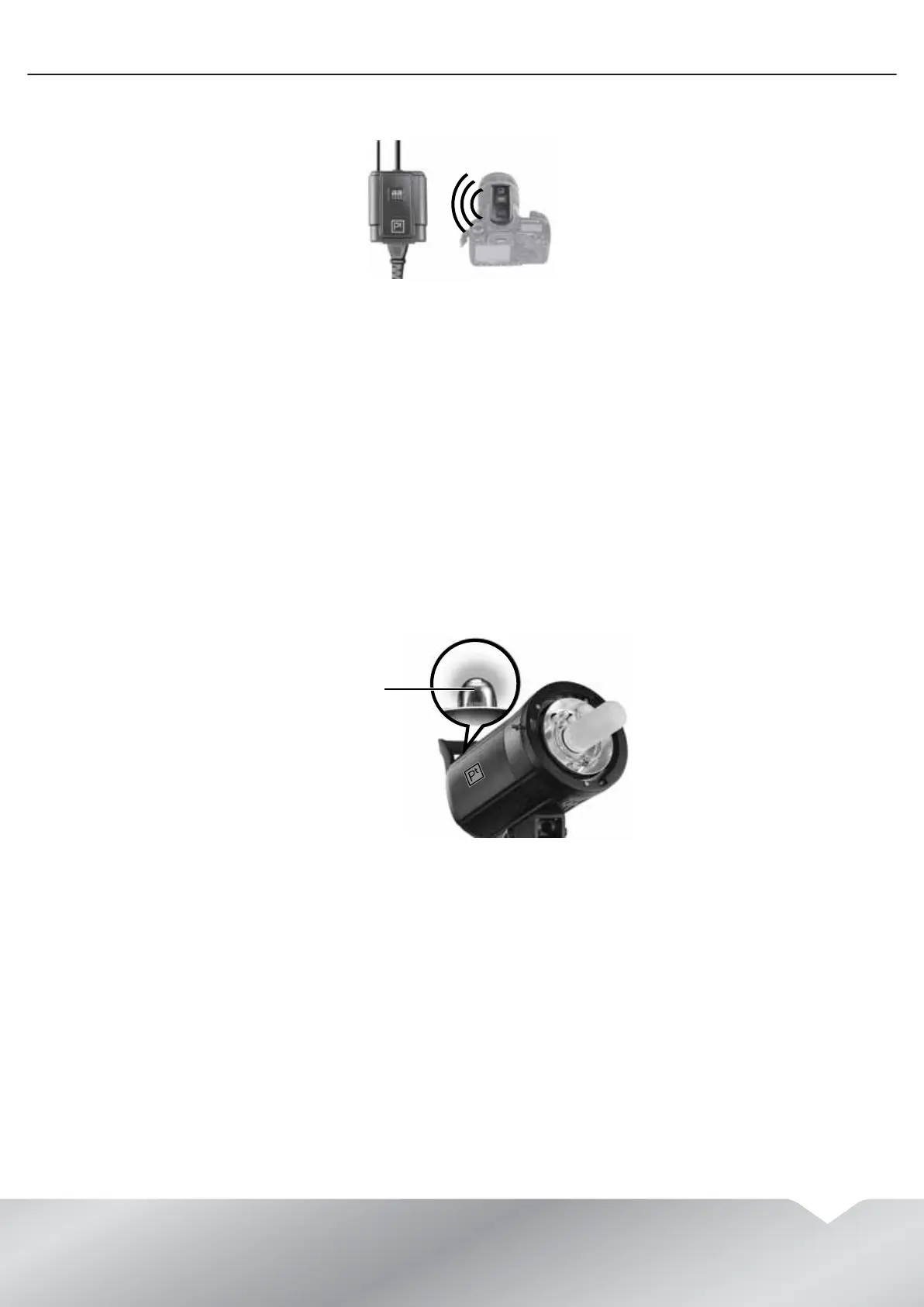
4 Slide the wireless transmitter onto the camera hotshoe, then turn the locking ring clockwise to secure the
transmitter to the hotshoe.
5 Take a picture. When the camera shutter opens, the remote transmitter sends a signal to the remote receiver
that triggers the flash head.
Using the built-in light sensor
The simplest flash triggering method is to use the built-in light sensor on the flash head. The camera flash triggers
the slave flash.
However this method has some limitations:
• The light sensor on the flash head must have a clear line-of-sight to the camera’s flash.
• The camera may have a pre-flash feature that fires before the main flash fires and the shutter opens. The pre-flash
may trigger your flash before the camera shutter opens.
To use the built-in light sensor:
1 Press the SLAVE button one or more times to select a flash mode. You can select:
• Fire on flash—The slave flash fires when the master flash fires. The flash indicator lights blue.
• Anti-preflash—The slave flash ignores a preflash and fires on the second flash from the master flash. The flash
indicator lights red.
• Slave flash off—The slave flash does not fire. The flash indicator is off.
2 Position the flash head so that the light sensor on your flash has a clear line-of-sight to the camera’s flash.
3 Point the flash head toward the surface you want the light to reflect off of. You can point the flash toward the
object you are photographing, an umbrella, or a wall or other surface.
4 Take a picture.
Light sensor


 To Next Page