91 %
Pause
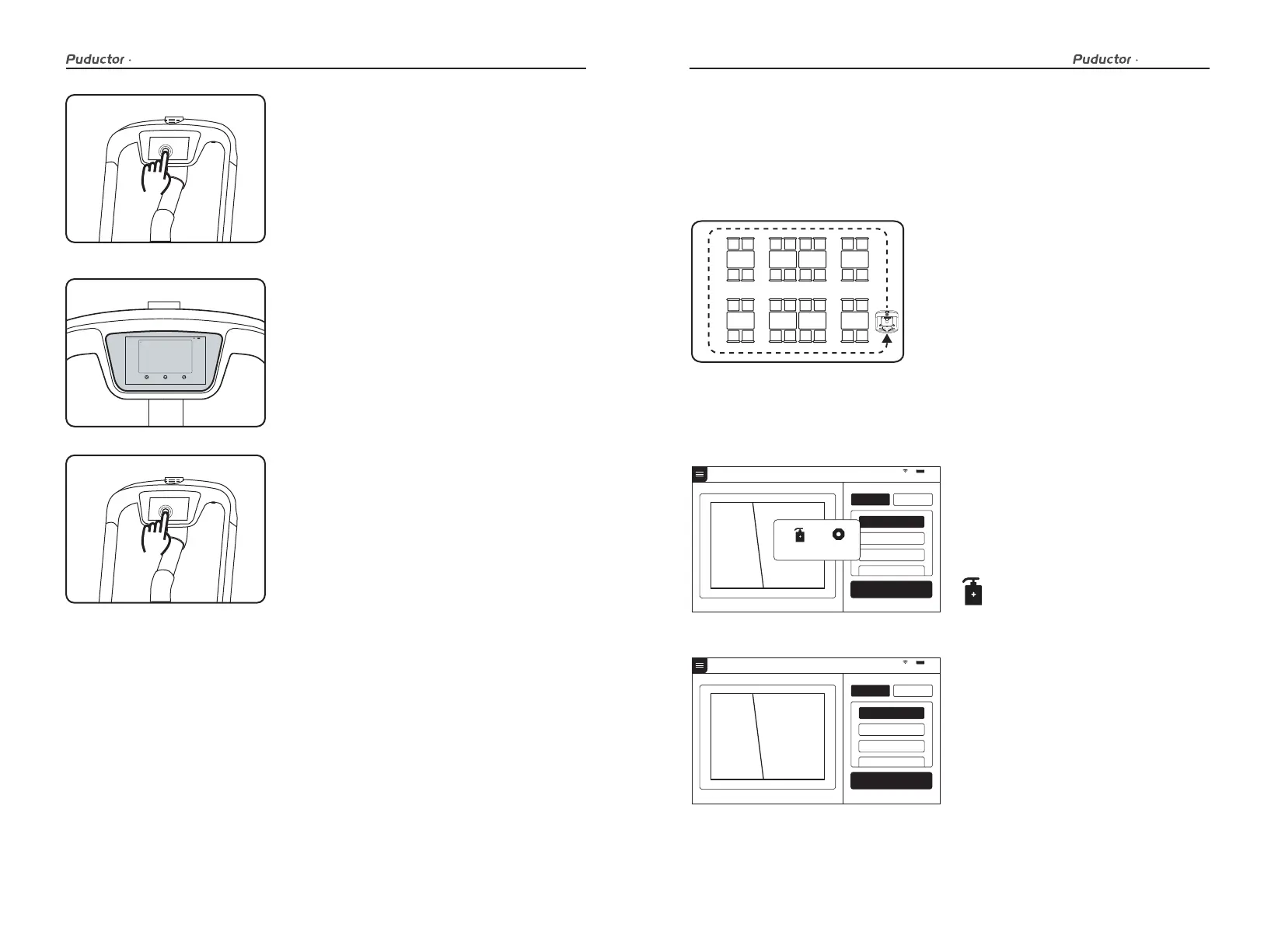
Click on the screen
to continue delivering
Continue delivering in 20 seconds
Modify task Cancel all Return
Disinfection mode
Disinfection mode: In the disinfection mode, the robot performs intelligent circular
motion according to the route selected by the user, after entering the route, the robot
starts the disinfection component and starts atomizing the disinfectant to disinfect
the environment; during operation, the robot does not play voice.
The disinfection mode is the basic function of the robot, and the specific steps are as
follows:
1. Select the disinfection mode at the
parking location.
2. dd disinfectant, or make sure that a
sufficient amount of disinfectant has
been added to the disinfection compo-
nent.
3. Select the disinfection route required
for the current task.
91 %
Disinfection mode
Route 1
Route 2
Route 3
Route 4
Start o
Route Settings
91 %
Disinfection mode
Route 1
Route 2
Route 3
Route 4
Start o
Route Settings
While the robot is running, touch the screen to
make the robot pause.
Pause
The screen enters the pause interface.
Pauseing
If it is necessary to continue running, you need to
click the screen again. In disinfection mode, if
there is no other action in the pause interface, the
robot will automatically resume moving after 20s.
Running
Settings
Disinfection mode
User manual User manual
17 18



 To Next Page