9
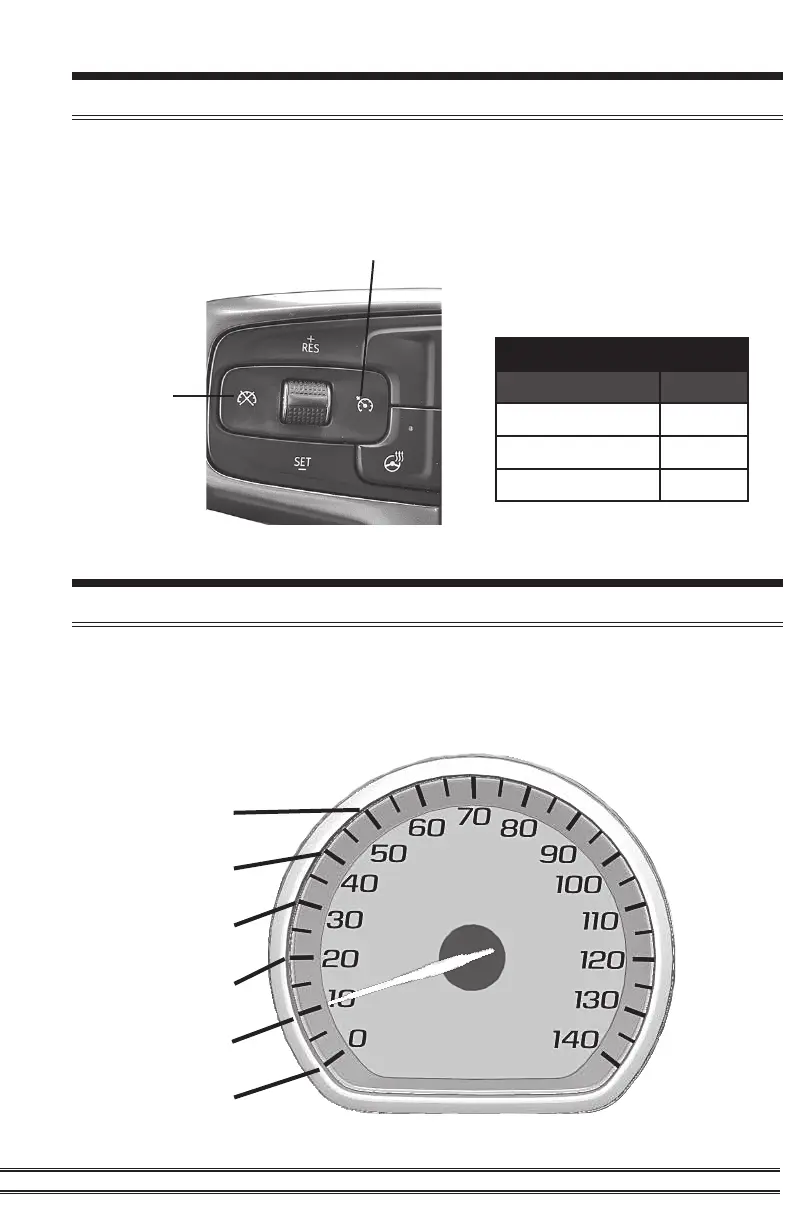
Steering Wheel Controls
Controls
Function Key
Level Up RES+
Level Down SET-
View Level Cancel
Pulsar power levels and Option menus are navigated using the
left-side steering wheel buttons. Refer to the information below to
better understand how these buttons are utilized.
Speedometer Levels Explained
Power Levels and other settings are displayed through the
Speedometer. Every 10 mph marker is one step higher: 10=1,
20=2, 30=3, 40=4, etc.
50=5
40=4
30=3
20=2
10=1
0=0
Cancel
Cruise Control On/O


 To Next Page