Need help?
Do you have a question about the PureStorage FlashBlade//S and is the answer not in the manual?
Details contents of accessory and rail kits for unpacking the FlashBlade/S.
Lists chassis components, drive pack contents, and notes for unpacking.
Installs #10-32 cage nuts onto front rack posts for rail alignment.
Attaches rails to front and rear rack posts, ensuring proper alignment and engagement.
Uses a mechanical lift to raise the chassis and position it onto the rack rails.
Slides the chassis onto the rails, removing rear handles and leaving a gap.
Continues sliding, removes front handles, and secures the chassis ears to rack posts.
Removes blade blanks and installs additional blades using ejector handles.
Uses a Phillips screwdriver to lock each installed blade into its chassis slot.
Installs DirectFlash Modules (DFMs) sequentially and fills unused slots with blanks.
Optionally locks each DFM into its blade slot using a Torx T10 screwdriver.
Connects power cords to PSUs, securing them with captive straps.
Connects PSU1/PSU2 to one AC unit and PSU3/PSU4 to a separate unit.
Verifies PSU status via LED indicators for operational health.
Connects USB-to-Serial for console and Ethernet for management ports.
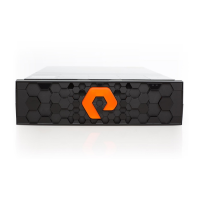
Aligns and presses the bezel onto the chassis ears for final enclosure.
The Pure Storage FlashBlade//S is a high-performance, all-flash storage system designed for modern data centers. It is engineered to provide rapid data access and efficient storage for a wide range of workloads, including analytics, artificial intelligence, and unstructured data. The system is built with a modular architecture, allowing for flexible scaling and easy maintenance.
The FlashBlade//S serves as a unified fast file and object (UFFO) storage platform, consolidating various data types onto a single, high-speed system. Its primary function is to deliver extreme performance for data-intensive applications, enabling organizations to process large datasets quickly and efficiently. The system achieves this through its all-flash design, which utilizes DirectFlash Modules (DFMs) for storage, and a high-bandwidth internal fabric.
The FlashBlade//S is designed to be highly available and resilient. It incorporates redundant components, including power supply units (PSUs) and Fabric I/O Modules (FIOMs), to ensure continuous operation even in the event of a component failure. The system's software-defined architecture allows for advanced data management features, such as data protection, replication, and snapshots, all managed through an intuitive interface.
The system supports both file and object storage protocols, making it versatile for different application requirements. For file-based workloads, it provides high-throughput and low-latency access, while for object-based workloads, it offers scalability and compatibility with cloud-native applications. This dual capability simplifies infrastructure and reduces operational complexity for organizations dealing with diverse data needs.
The FlashBlade//S is designed for straightforward installation and operation. The chassis requires a standard rack installation, with clear guidelines for rack post spacing and front/rear clearance to ensure proper airflow and accessibility. The system's modular design extends to its components, such as blades and DFMs, which can be installed or replaced without significant downtime.
Installation begins with mounting the rails into the rack, followed by carefully sliding the chassis into place. The chassis is secured to the rack using screws, and protective films are removed to ensure optimal performance and aesthetics. The system emphasizes safety during installation, with warnings against inserting hands or fingers into empty drive bays and instructions for using mechanical lifts to handle the heavy chassis.
Once the chassis is mounted, additional blades and DFMs can be installed. Blades are inserted in sequential order from left to right, and DFMs are installed into blade slots in a specific numerical sequence. Each blade and DFM is secured with thumbscrews or latches, ensuring a firm connection and preventing accidental dislodgement. The system requires a minimum number of blades to be installed and mandates that all unused slots are filled with blanks to maintain proper airflow.
Powering on the system involves connecting power cords to the PSUs. The system is designed for redundancy, with recommendations to connect PSUs to separate AC power distribution units. LED indicators on the PSUs provide visual feedback on their status, simplifying troubleshooting.
Connecting the FlashBlade//S to the network involves connecting a USB-to-Serial cable to the FIOM console port for initial setup, and an Ethernet cable to the FIOM management port for administrative access. Customer equipment is then connected to the remaining FIOM ports. All cables are secured to prevent accidental disconnections.
Finally, a bezel is installed on the front of the chassis, completing the physical setup. The bezel not only enhances the system's appearance but also helps maintain proper airflow and protects internal components.
The FlashBlade//S is built with maintenance in mind, featuring hot-swappable components that minimize downtime during service. Blades, DFMs, and PSUs can be replaced individually without powering down the entire system, allowing for continuous operation.
The system's modular design simplifies component replacement. For example, if a blade or DFM needs to be replaced, it can be easily removed by loosening a thumbscrew and pulling an ejector handle. The new component can then be inserted and secured in a similar fashion. This design reduces the complexity and time required for maintenance tasks.
The FlashBlade//S includes diagnostic features, such as LED indicators on PSUs, to quickly identify the status of components. Green LEDs typically indicate normal operation, while amber LEDs signal a fault, guiding technicians to the specific component requiring attention.
The system's documentation provides clear instructions for all installation and maintenance procedures, ensuring that users can perform tasks correctly and safely. Pure Storage also offers customer support through various channels, including online resources, email, and phone, to assist with any issues or questions that may arise.
The design also considers the importance of proper airflow for cooling. The requirement to fill unused slots with blanks ensures that air circulates efficiently through the chassis, preventing overheating and maintaining optimal performance and longevity of the components. The system's robust construction and attention to detail in its design contribute to its overall reliability and ease of maintenance.
 General
| Model | FlashBlade//S |
|---|---|
| Storage Type | All-Flash |
| Capacity per Blade | 52 TB |
| Protocols | NFS, SMB, S3 |
| Number of Blades per Chassis | Up to 15 |
| Data Reduction | Inline deduplication and compression |
| Management | Pure1 Cloud Management |


 To Next Page