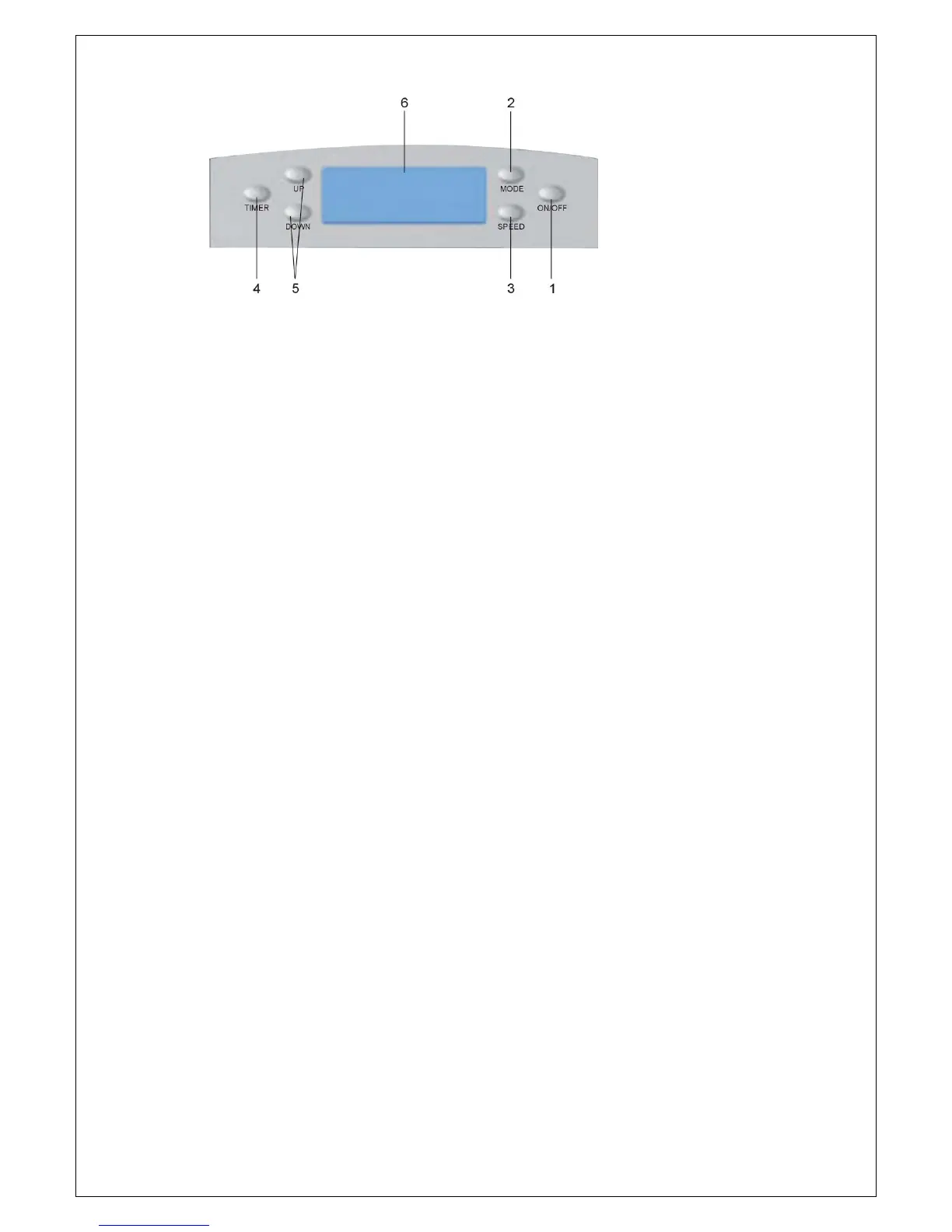
CONTROL PANEL
1. ON/OFF button: press this button to turn On/Off the unit.
2. MODE button: press this button to select Cool, Dry or Fan mode.
3. SPEED button: press this button to select high, middle or low fan speed.
4. TIMER button: press this button to set timer-on, timer-off or no-timer.
5. UP & DOWN button: press these buttons to set room temperature or timer when in Time On/Off mode.
6. LCD display: display different signals accordingly.
Note: To choose from Fahrenheit or Celsius, press both UP and DOWN button.


 To Next Page