What to do if my Pyle PD3000BT Amplifier displays correctly but no response?
- Jjacob04Sep 12, 2025
If your Pyle Amplifier's display is working but it's not responding to commands, the operation might be incorrect. Try renewing the operation.

What to do if my Pyle PD3000BT Amplifier displays correctly but no response?
If your Pyle Amplifier's display is working but it's not responding to commands, the operation might be incorrect. Try renewing the operation.
Why disc cannot be played on Pyle Amplifier?
If a disc cannot be played on your Pyle Amplifier, it may be due to a disc error. Ensure the label side is up. If the loader doesn't close the tray, reload the disc in the tray. Also, check that there is a disc in the tray.
| Bluetooth | Yes |
|---|---|
| Channels | 2 |
| Frequency Response | 20Hz - 20kHz |
| Impedance | 4 Ohms |
| Inputs | RCA, USB, SD Card, AUX |
| Power Output | 3000 Watts |
Key safety warnings to prevent product misuse and hazards.
Precautions against electric shock, unauthorized opening, and servicing.
Definitions of warning symbols used throughout the manual and on the device.
Comprehensive safety advice on ventilation, heat, moisture, cleaning, and power cord handling.
Step-by-step instructions for pairing and connecting Bluetooth-enabled devices.
Guidance on proper disc handling, unit placement, and managing moisture condensation.
Instructions for safe disc handling and cleaning methods to ensure optimal playback.
Recommendations for storing discs to prevent damage, warping, and degradation.
Explanation of how DVD and Audio CDs are organized into titles, chapters, and tracks.
List of compatible disc formats including DVD, CD, MP3, and JPEG for playback.
Detailed overview of buttons, knobs, and LED indicators on the front panel for operation.
Further explanation of front panel functions like Menu, Input selection, Tuning, and Volume controls.
Identification and purpose of all input and output connections located on the rear of the unit.
Instructions for using the remote control, including button functions and operational range.
Safety advice for connecting speakers and setting initial volume levels to prevent damage.
Diagrams and instructions for connecting the pre-amplifier to televisions and external amplifiers.
Steps for preparing and initiating disc playback, including pause, step, and resume functions.
How to navigate tracks, fast forward/reverse, stop, and utilize standby mode.
Connecting external audio sources and operating the FM/AM radio tuner for listening.
Methods for manual scan, auto scan, frequency selection, and storing radio stations.
Selecting stereo/mono modes and storing radio stations using manual or automatic methods.
Using the USB reader for playback and the function to copy subtitle files to USB.
Controlling OSD, language, video settings, and zoom options during media playback.
Detailed functions for subtitle, program, title, repeat, volume, mute, and menu controls.
Instructions for playing JPEG files, enabling slideshows, image rotation, and zoom features.
Guide to playing MP3 files, including navigating folders and selecting individual audio tracks.
Introduction to MPEG-4 video/audio standards and their playback compatibility.
Instructions for playing Kodak Picture CDs, including slideshow, image rotation, and zoom.
Information on DivX/Xvid video support and compatibility issues with PC-created discs.
Guidance on accessing and navigating the main system setup menus and their sub-options.
Configuring TV output system, auto play, HD output, video interface, and TV type.
Setting a user password, navigating setup pages, and resetting the unit to factory defaults.
Setting OSD, audio, subtitle, and menu languages for enhanced DVD playback experience.
Configuring audio output settings and adjusting audio key parameters for optimal sound.
Adjusting video output parameters like brightness, contrast, hue, and saturation.
Configuring speaker output connections and downmix modes for 2-speaker surround sound.
Selecting stereo, left mono, right mono, or mixed mono modes for the amplifier decoder.
Adjusting the dynamic range for line out audio signals to affect the audio signal peak value.
A comprehensive troubleshooting guide for common problems and their respective remedies.
Adjusting picture format and screen size to match different TV aspect ratios (4:3, 16:9).
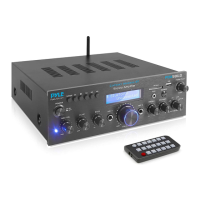
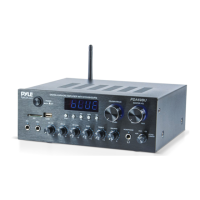
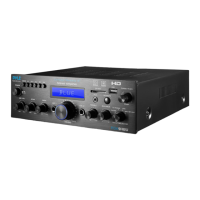
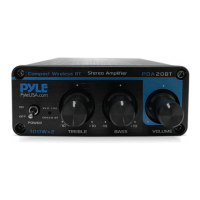
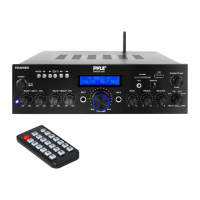
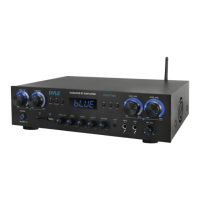
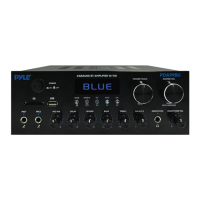
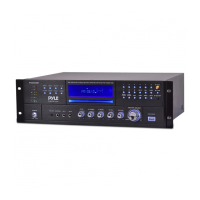
Highlights key features of the Pyle PD3000BT pre-amplifier, including connectivity and playback options.
Specifications for Bluetooth connectivity, including version, network name, password, and range.
Detailed technical data for the amplifier, covering power, impedance, frequency range, and more.
Lists all the accessories and components included with the Pyle PD3000BT pre-amplifier.