EasyManua.ls Logo

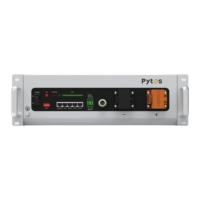
Pytes E-BOX-4850 - User Manual

Default Icon
26 pages
Print Icon
To Next Page IconTo Next Page
Loading...
V2.0

Questions and Answers

  • D
    danieloconnellAug 5, 2025
    What to do if my Pytes E-BOX-4850 Battery Pack is unable to start?
    • B
      Briana ArmstrongAug 5, 2025
      If your Pytes Battery Pack won't start, and it enters charging mode, allow it to charge fully. After charging, the battery should return to normal operation. If the battery still does not start, contact your local reseller or Pytes for assistance.

Summary

Before Using

Warning

Critical safety warnings and precautions before operating the battery.

Danger

1 Specifications

2 Interface and Protection Functions

3 Operating Environment

5 Installation and Configuration

6 Communication

7 Troubleshooting

7.1 Unable to Start

Steps to resolve issues when the battery fails to start or power on.

7.2 Unable to Charge

Troubleshooting guide for problems related to the battery not charging.

7.3 Unable to Discharge

Solutions for issues preventing the battery from discharging properly.

7.4 ALM Indicator (Alarm) Constantly On

Diagnosing and resolving situations where the ALM indicator remains on.

Pytes E-BOX-4850 Specifications

General IconGeneral
Nominal Voltage48V
Nominal Capacity50Ah
Energy2.4kWh
Warranty5 years
Operating Temperature-10°C to 50°C
Protection LevelIP20
Battery TypeLithium Iron Phosphate (LiFePO4)
ScalabilityUp to 16 units in parallel
Cycle Life6000 cycles at 80% DOD
CommunicationRS485, CAN
Charge/Discharge Rate0.5C
Dimensions442mm x 420mm x 132mm

Related product manuals