L–000867(A) 2–5
2 – Installation and Setup
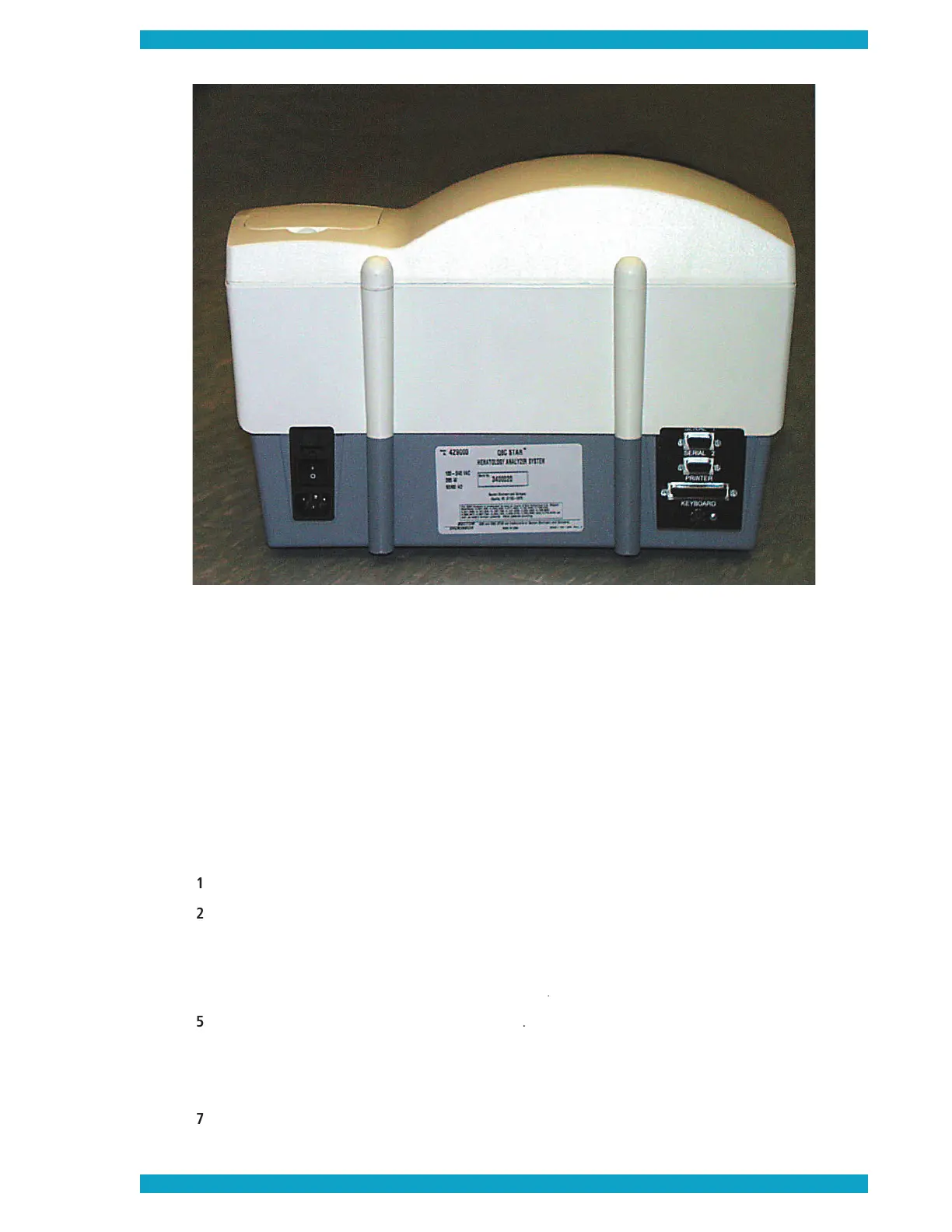
Figure 4 – External Connections
On Left: AC power connection; On Right: Top to Bottom: Serial Port connection; Bar-
code Port connection; Parallel Port connection; Keyboard Port connection.
• Compatible external printer
• Standard Centronics parallel printer cable (or IEEE 1284 Centronics parallel printer cable), 10 ft or
• 8½” x 11” (letter) or A4 paper (no envelopes, labels, or custom sizes of paper)
How to attach an external printer:
Unpack and set up the printer according to the manufacturer’s operating instructions.
Connect the printer to the QBC STAR instrument’s printer (parallel) port (see Figure 4) using the
Verify that any printer cartridges are installed and that the correct size paper is present.
Turn on power to the QBC STAR instrument
Turn on power to the external printer
Go to the printer setup menu (see below,
) and make sure you: a) disable the internal
printer if you do not want to continue using it; b) enable the external printer; and c) enable or dis-
When turning power off, turn off the printer
fi rst, then the QBC STAR instrument.


 To Next Page