EasyManua.ls Logo

QBC Diagnostics Star - Setup Keypad; ESC Key; Key

QBC Diagnostics Star
65 pages
Print Icon
To Next Page IconTo Next Page
To Previous Page IconTo Previous Page
Loading...
L–000867(A) 3–5
3 – Controls and Indicators
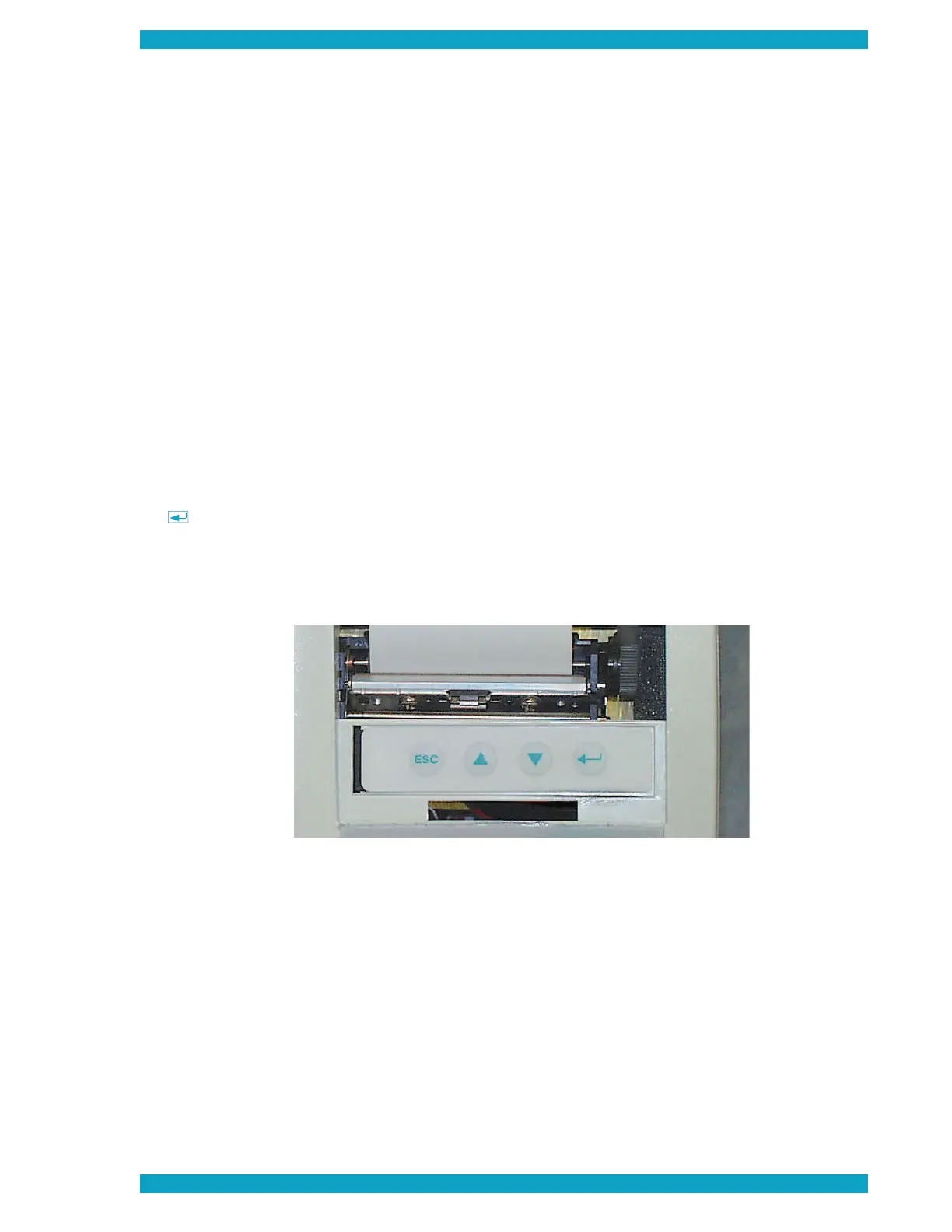
Setup Keypad
The setup keypad is located to the front of the printer beneath the printer access panel. It is used to enter
setup information into the computer, such as the date and time, LCD contrast, etc.
The setup keypad keys are described below. Setup functions are described in Section 2 – Installation and
Setup.
ESC Key
Press this key to cancel an action or to return to a previous menu.
Key
Press this key to increase a value or scroll upward in a list.
Key
Press this key to decrease a value or scroll downward in a list.
Key
Press this key to select a menu option.
Figure 9 – Setup Keypad

Table of Contents