QBC STAR™ System User’s Manual
3–4 L–000867(A)
Floppy Disk Drive
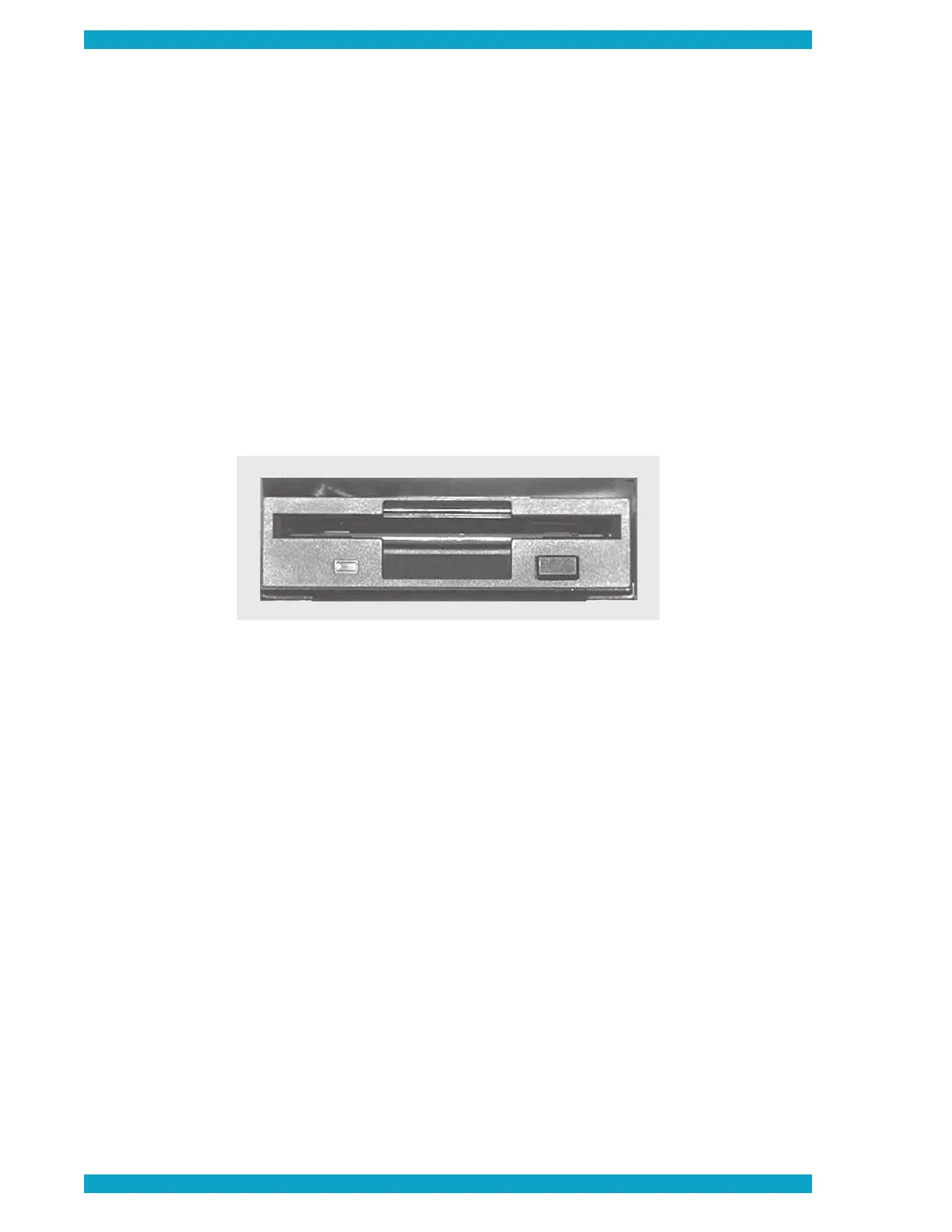
The fl oppy disk drive is used primarily for software updates. It is located on the front panel of the instrument,
at bottom right. To access the drive, fl ip the top of the access door downward. Disks should be inserted
with the shutter fi rst and the label upward. See Figure 8 for disk controls and indicators.
Floppy Disk Indicator
The Floppy Disk Drive Indicator light is toward the left side of the drive below the insertion slot.
When off, it indicates that no activity is occurring in the drive. When on or fl ashing, it indicates that
the disk drive is accessing a fl oppy disk.
Do not attempt to eject a fl oppy disk while this indica-
Floppy Disk Eject Button
The fl oppy disk drive eject button is located toward the right side of the drive below the insertion slot.
When a fl oppy disk is inserted fully into the slot, this button extends itself. To remove a disk, fully depress
Do not attempt to eject a fl oppy disk while the fl oppy disk indicator is lit
Figure 8 – Floppy Disk Drive Controls and Indicators


 To Next Page