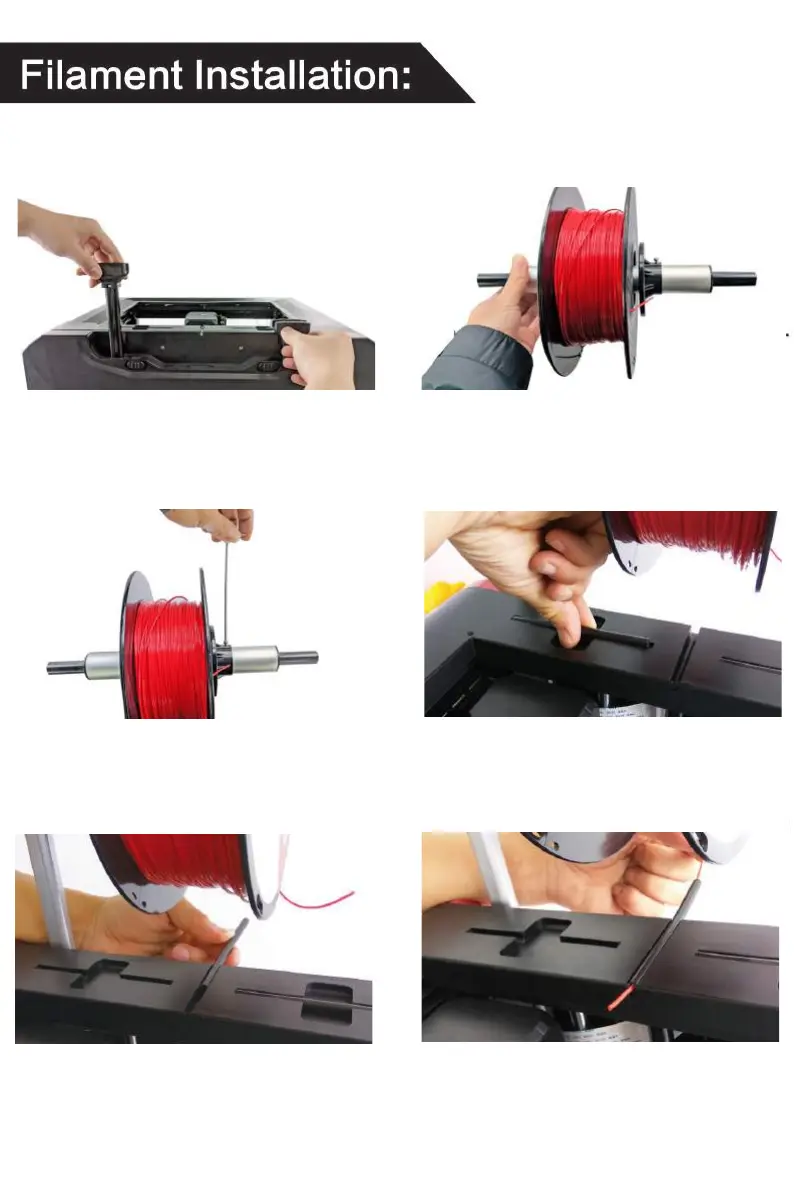
1. Pull up the rod.
6. Insert the filament into the
filament guide.
5. Insert the filament guide
into the 3d printer.
4. Take out the filament guide.
3. Tighten the retaining screw
of the retainer ring
2. Make the roll of filament
through the spool holder.
If you newly purchased filament, you can install and print
according to the following instructions:


 To Next Page