
 Need help?
Do you have a question about the QNAP QSW-308 and is the answer not in the manual?
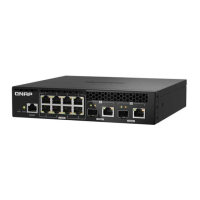
Identifies the 1GbE RJ45 Ethernet ports on the front panel.
Identifies the 10GbE SFP+ port labeled '2' on the front panel.
Identifies the 10GbE SFP+/RJ45 combo ports on the front panel.
Identifies the 10GbE SFP+ port labeled '4' on the front panel.
Device is powered on or off.
Indicates link status and network activity for RJ45 ports.
Indicates link status and network activity for SFP+ ports.
Indicates link status and activity for combo ports.
Device complies with FCC Part 15, Class B digital device rules.
Device complies with CE Compliance Class B.
Information on waste electrical equipment disposal and RoHS compliance.
 General
| Managed | Unmanaged |
|---|---|
| MAC Address Table | 16K |
| Jumbo Frame | Up to 9K |
| Layer | 2 |
| Power Supply | External Power Adapter |











 To Next Page