
 Need help?
Do you have a question about the QNAP QSW-M1208-8C and is the answer not in the manual?
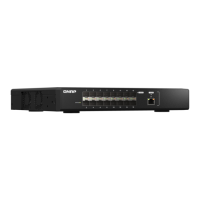
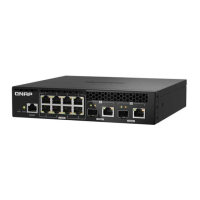
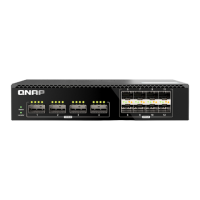
Details the physical ports and indicators on the front and rear panels of the QSW series switches.
Explains the various states and meanings of the System Status LED.
Describes the link and activity status indicated by the SFP+ port LEDs.
Details the link and activity status for the SFP+/RJ45 Combo port LEDs.
Step-by-step instructions for connecting the switch to a power source and network devices.
Guide to accessing the switch's web management interface and default login credentials.
Technical specifications table for QSW-M1208-8C, QSW-M1204-4C, and QSW-M804-4C models.
Statement on the device's compliance with FCC Rules, Part 15, Class A.
Information regarding the device's compliance with CE standards.
User information on waste electrical and electronic equipment disposal and RoHS compliance.
 General
| Console port | RS-232 |
|---|---|
| Combo SFP ports quantity | 8 |
| SFP+ module slots quantity | 4 |
| Gigabit Ethernet (copper) ports quantity | 1 |
| Basic switching RJ-45 Ethernet ports type | No |
| Basic switching RJ-45 Ethernet ports quantity | 0 |
| User guide | Yes |
| Cables included | AC |
| Operating temperature (T-T) | 0 - 40 °C |
| Operating relative humidity (H-H) | 5 - 95 % |
| DHCP features | DHCP client |
| Throughput | 120 Gbit/s |
| Jumbo frames | 9000 |
| MAC address table | 32000 entries |
| AC input voltage | 100 - 240 V |
| AC input frequency | 50 - 60 Hz |
| Power consumption (max) | 70 W |
| Networking standards | IEEE 802.1Q, IEEE 802.1ab, IEEE 802.1p, IEEE 802.1w, IEEE 802.3, IEEE 802.3ab, IEEE 802.3ad, IEEE 802.3ae, IEEE 802.3an, IEEE 802.3az, IEEE 802.3bz, IEEE 802.3u, IEEE 802.3x, IEEE 802.3z |
| Virtual LAN features | Port-based VLAN |
| Stackable | - |
| Certification | FCC, CE, VCCI, BSMI, RCM, WEEE |
| Product color | Black |
| LED indicators | Activity, Link, Power, Speed, Status |
| Number of fans | 4 fan(s) |
| Electromagnetic compatibility | CLASS A |
| Switch type | Managed |
| Switch layer | L2 |
| Harmonized System (HS) code | 85176990 |
 Weight and Dimensions
| Depth | 236.6 mm |
|---|---|
| Width | 285 mm |
| Height | 46.65 mm |
| Weight | 2200 g |











 To Next Page