
 Need help?
Do you have a question about the QNAP QSW-M408-4C and is the answer not in the manual?
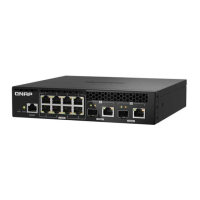
Identifies console port, 1GbE RJ45 ports, 10GbE SFP+ ports, and combo ports on the device's front.
Details the function of the reset button for device configuration.
Illustrates the procedure for connecting the power input to the device.
Diagrams show connecting the NAS, switch, and a computer for initial setup.
Details IP configuration for access and default login credentials.
Describes the meaning of System Status and port LEDs for device status and connectivity.
Information regarding FCC, CE, and WEEE compliance and disposal guidelines.
 General
| Switch type | Managed |
|---|---|
| Switch layer | L2 |
| Web-based management | Yes |
| Certification | CE, FCC, VCCI, BSMI, CCC |
| Product color | White |
| Rack mounting | No |
| LED indicators | Activity, Link, Power, Speed, Status |
| Number of fans | 1 fan(s) |
| Electromagnetic compatibility | CLASS A |
| Throughput | 48 Gbit/s |
| Jumbo frames | 9000 |
| MAC address table | 16000 entries |
| Operating temperature (T-T) | 0 - 40 °C |
| Operating relative humidity (H-H) | 5 - 95 % |
| Package weight | 1570 g |
| Cables included | AC |
| Networking standards | IEEE 802.1Q, IEEE 802.1ab, IEEE 802.1p, IEEE 802.1w, IEEE 802.3, IEEE 802.3ab, IEEE 802.3ad, IEEE 802.3ae, IEEE 802.3an, IEEE 802.3az, IEEE 802.3bz, IEEE 802.3u, IEEE 802.3x, IEEE 802.3z |
| Virtual LAN features | Port-based VLAN, Private VLAN |
| Cable types supported | Cat5, Cat5e, Cat6 |
| Copper ethernet cabling technology | 10BASE-T, 10GBASE-T, 1000BASE-LX, 1000BASE-SX, 1000BASE-T |
| Noise level | 21 dB |
| AC input voltage | 100 - 240 V |
| AC input frequency | 50 - 60 Hz |
| Power consumption (max) | 31.46 W |
| Number of power supply units | 1 |
| Console port | RJ-45 |
| Combo SFP ports quantity | 4 |
| Installed SFP+ modules quantity | - |
| Basic switching RJ-45 Ethernet ports type | Gigabit Ethernet (10/100/1000) |
| Basic switching RJ-45 Ethernet ports quantity | 8 |
| DHCP features | DHCP client |
| Harmonized System (HS) code | 85176990 |
 Weight and Dimensions
| Depth | 127 mm |
|---|---|
| Width | 290 mm |
| Height | 42.5 mm |
| Weight | 1150 g |











 To Next Page