• Observe electrostatic discharge (ESD) procedures to avoid damage to components.
1. Power off the NAS.
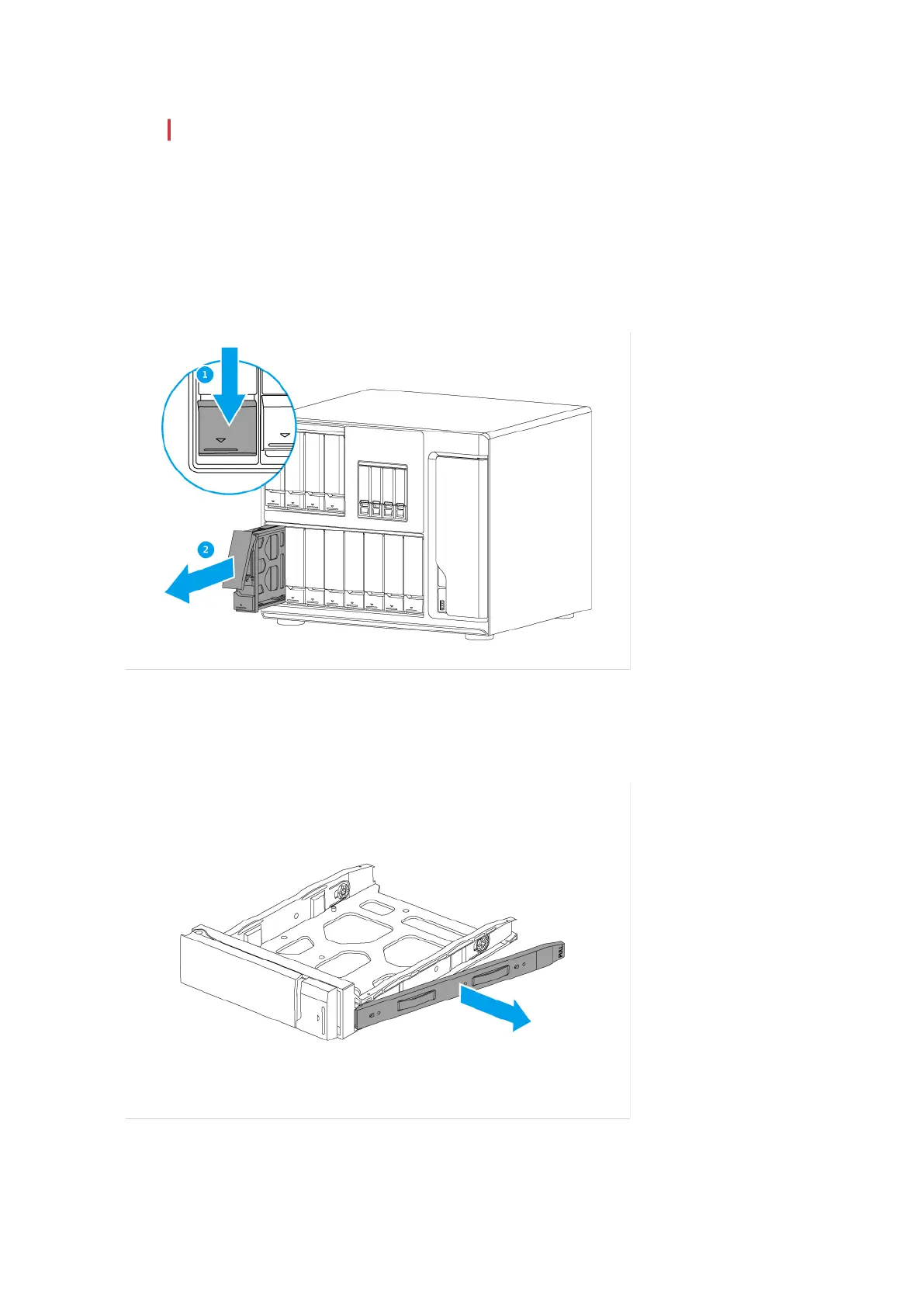
2. Remove the drive tray.
a. Slide the lock down.
b. Pull the tray handle outward.
c. Pull the tray out.
3. Install a drive on the tray.
a. Remove the right fastening panel from the drive tray.
TS-1635AX User Guide
Installation and Configuration 15

 To Next Page
 Loading...