EasyManua.ls Logo

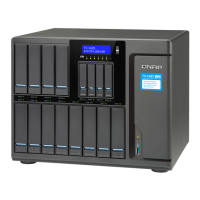
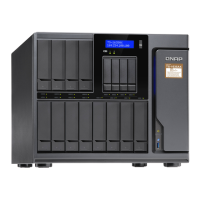
QNAP TS-1677X Series - User Manual

QNAP TS-1677X Series
60 pages
Print Icon
To Next Page IconTo Next Page
Loading...
TS-1677X
TS-1677X
User Guide
Document Version: 2
11/06/2018

Questions and Answers

QNAP TS-1677X Series Specifications

General IconGeneral
BrandQNAP
ModelTS-1677X Series
CategoryStorage
LanguageEnglish

Summary

1. Preface

About This Guide

This guide provides information on the QNAP TS-1677X NAS and step-by-step instructions.

Audience

This document is intended for consumers and storage administrators.

Document Conventions

Explains symbols used for notes, important notes, tips, and warnings.

2. Product Overview

About the TS-1677 X

Provides basic information about the QNAP TS-1677X NAS.

Hardware Specifications

Lists the technical specifications of the NAS hardware.

Package Contents

Lists the items included in the NAS package.

Front Panel Components

Describes the components and layout of the front panel of the NAS.

Rear Panel Components

Describes the components and layout of the rear panel of the NAS.

Side Panel Components

Describes the components and layout of the right and left panels of the NAS.

Drive Bay Numbering and Setup Requirements

Covers drive numbering and installation prerequisites.

Initial NAS Setup

Provides step-by-step instructions for initial NAS setup.

3. Installation and Configuration

Hardware Installation

Covers the physical installation of drives, memory, and expansion cards.

Drive Installation Procedures

Details the process of installing 3.5-inch and 2.5-inch drives.

Installing Expansion Cards

Instructions for installing PCIe expansion cards.

Replacing Memory Modules

Guide on how to upgrade or replace RAM modules.

Replacing CPU Fans

Instructions for replacing the NAS CPU fans.

QTS Operating System Installation

Describes how to install the QNAP QTS operating system.

QTS Installation via Qfinder Pro

Guide for installing QTS via the Qfinder Pro utility.

QTS Installation via Cloud Key

Guide for installing QTS using the Cloud Key method.

4. Basic Operations

Power Button Operations

Explains how to power the NAS on and off.

System Reset Button Functions

Details the functions of the basic and advanced system reset buttons.

USB One Touch Copy Functionality

Describes the functionality of the USB One Touch Copy button.

LCD Panel Operations

Covers operations performed via the NAS LCD panel.

Powering Off and Restarting the NAS

Steps to properly power off and restart the NAS.

LCD Password Management

How to set or change the LCD panel password.

LCD Error Message Reference

Lists and describes common LCD error messages.

LED Status Indicator Meanings

Explains the meaning of different LED status indicators.

Audible Beep Alarm Meanings

Describes the different beep alarm patterns and their meanings.

5. Troubleshooting

Locating the NAS with Qfinder;myQNAPcloud

Steps to take when the NAS cannot be located.

Hot-swapping Failed Drives Procedure

Procedure for replacing failed drives without powering down.

Recovering Removed Healthy Drives

Describes RAID recovery for accidentally removed drives.

QNAP Support Resources

Lists QNAP support resources like documentation and forums.

6. Glossary

CloudKey Definition

Definition of CloudKey.

CloudLink Definition

Definition of CloudLink.

myQNAPcloud Definition

Definition of myQNAPcloud.

myQNAPcloud ID Definition

Definition of myQNAPcloud ID.

Qfinder Pro Definition

Definition of Qfinder Pro.

QTS Definition

Definition of QTS.

7. Notices

Limited Warranty Information

Information about QNAP's limited warranty policy.

Legal Disclaimers

Legal disclaimers regarding the document and product.

GNU Public License Terms

Details of the GNU General Public License.

FCC Regulatory Notice

Regulatory information regarding FCC compliance.

CE Regulatory Notice

Regulatory information regarding CE compliance.

China RoHS Compliance

Information on China RoHS compliance and hazardous substances.

Related product manuals