41
12. To check that the memory module is recognized by the NAS, power up the NAS and
login the web interface as an administrator. Go to “System Status” > “System
Information” and check the total memory in “Hardware Information”.
5.5 IS-453S
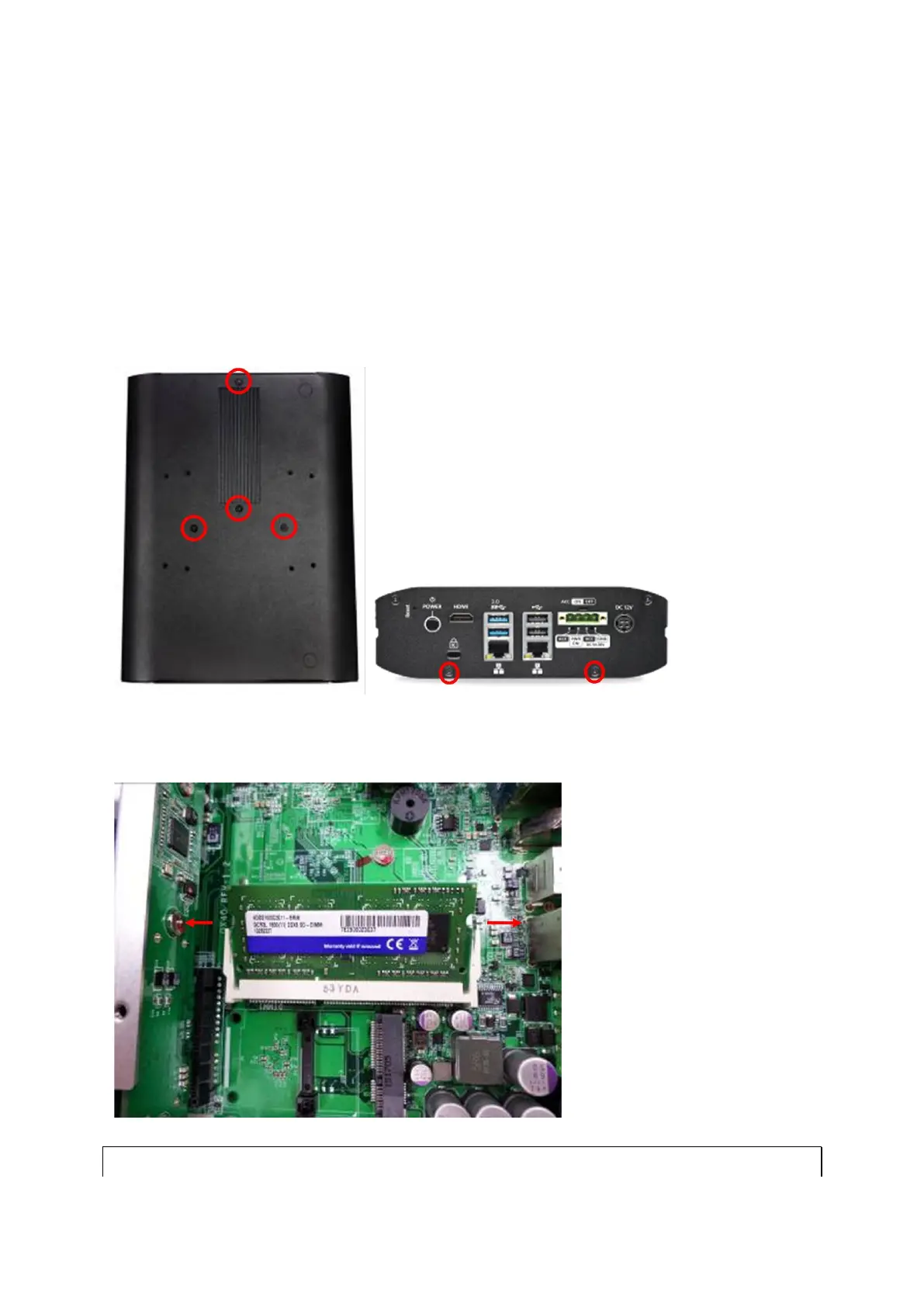
1. Loosen the four screws on the bottom and the two screws on the rear panel of the NAS
with a Phillips screwdriver and lift the bottom off.
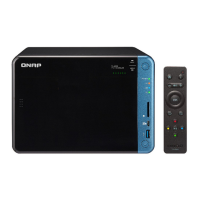
2. Pull the retention clips on each side so that the module tilts up for easy removal.
Remove installed memory modules.
Note: Always ensure that a memory module is installed in the primary slot that is



 To Next Page