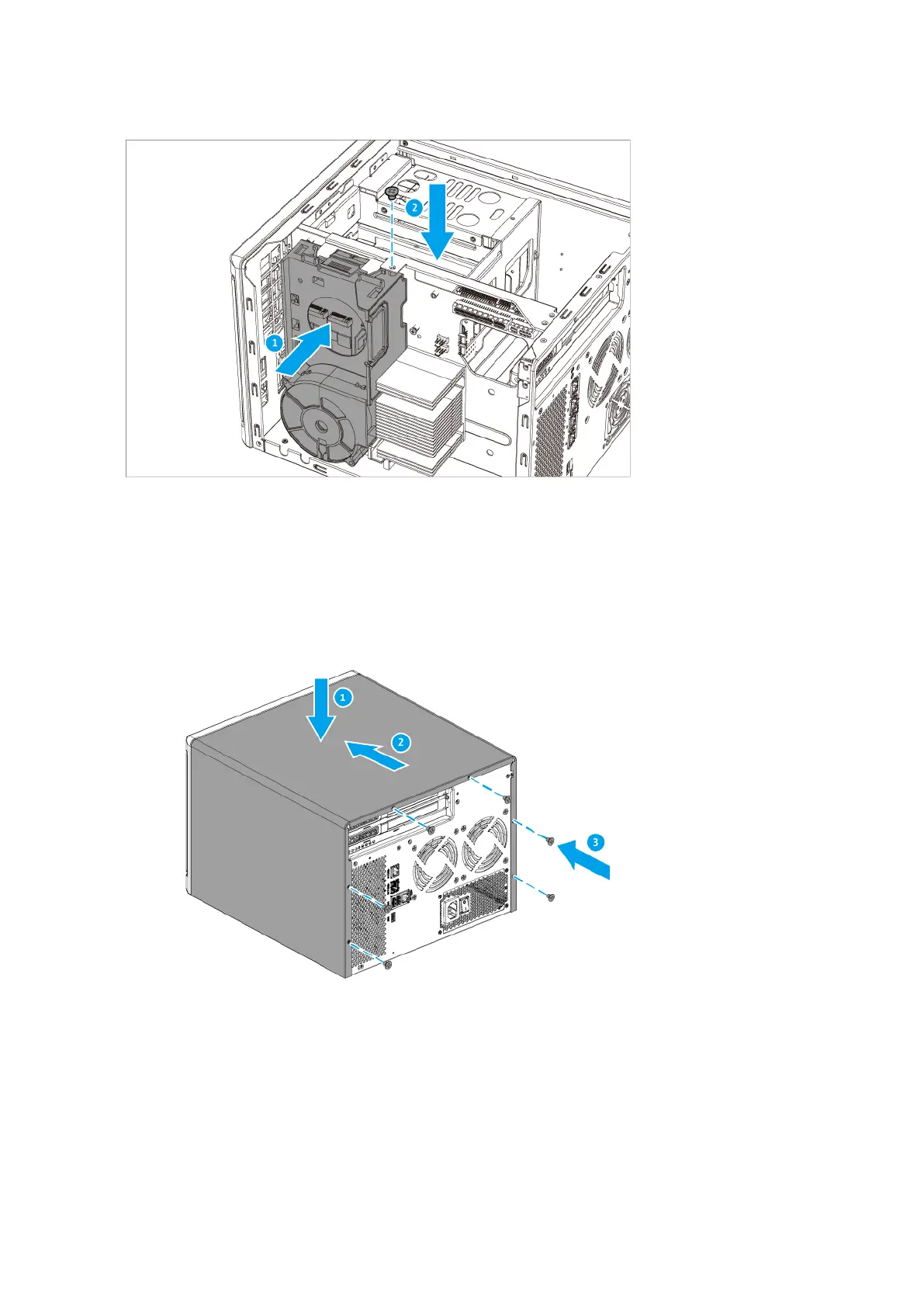
9. Attach the case cover.
a. Place the cover on the device.
b. Slide the cover forward.
c. Tighten the screws.
Expansion unit installation
The TS-855X series supports SATA and USB expansion units. Refer to the following table for details.
You can purchase storage expansion accessories from QNAP or an authorized reseller.
For details, go to https://shop.qnap.com/.
TS-855X User Guide
Installation and Conguration 35



 To Next Page